How to Check Your Balance on a Visa Gift Card: Easy Tips
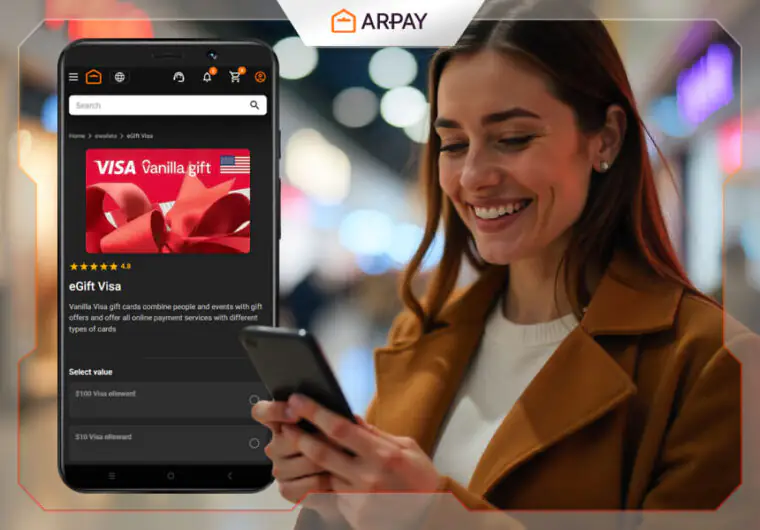
Have you ever wondered how much money is left on your Visa gift card? It’s easy to lose track, especially when you want to make a purchase or plan your spending.
Knowing your balance helps you avoid declined transactions and manage your funds better. You’ll discover simple and quick ways to check your Visa gift card balance anytime. Keep reading to make sure you always know exactly what’s available on your card.
Methods To Check Your Balance
Knowing how to check your Visa gift card balance is essential to avoid declined purchases and to manage your spending wisely. There are several straightforward ways to find out your remaining funds. Each method offers a quick and easy way to stay updated on your card’s status.
Online Balance Check
Visiting the official website listed on the back of your Visa gift card is the fastest way to check your balance. You typically need to enter your card number, expiration date, and sometimes a security code. This method provides an instant update and often shows your recent transactions as well.
One time, I thought I had more money on my card than I actually did. Checking online saved me from an embarrassing declined payment at checkout. Have you ever been caught off guard by a low card balance?
Phone Inquiry
Calling the toll-free number on your card’s back is another reliable option. Follow the automated prompts to enter your card details, and the system will announce your balance. This is convenient if you don’t have internet access or prefer hearing the information directly.
Keep your card handy when you call to avoid mistakes. It’s surprising how often people mix up numbers during this process. Do you find automated phone systems easy to navigate or frustrating?
In-store Verification
Some retailers can check your Visa gift card balance at the checkout counter. Simply ask the cashier to run your card through their system without making a purchase. This method is useful if you want to verify your balance before buying something.
Be aware that not all stores offer this service, so it’s good to ask first. Have you tried checking your card balance this way before making a purchase? It’s a quick way to avoid surprises at the register.
Credit: www.prepaidgiftbalance.it.com
Step-by-step Online Process
Checking your Visa gift card balance online is quick and simple. This process helps you keep track of your funds easily. Follow the steps below to see your current balance anytime.
Visit The Official Website
Open your web browser and go to the Visa gift card website. Use the URL printed on the back of your card. This ensures you are on the safe and correct site.
Enter Card Details
Find the balance check section on the site. Enter your gift card number carefully. Also, type the security code or PIN if asked. Double-check your entries to avoid errors.
Review Your Balance
Submit your card details to view the balance. The site will display your available funds instantly. Note the balance and any recent transactions shown. Keep this page open if you want to print or save the information.
Using Phone Services
Using phone services to check your Visa gift card balance is quick and easy. This method works well if you prefer speaking to a person or using automated systems over online options. Keep your card handy during the call for a smooth experience.
Locate The Customer Service Number
Find the customer service number on the back of your Visa gift card. The number is usually printed near the signature strip. Write it down or save it on your phone for easy access.
This number connects you to the card issuer’s support team or automated system.
Follow The Automated Instructions
Call the customer service number and listen carefully to the instructions. The automated system often asks for your card number and security code. Speak or enter the numbers as requested.
The system will then provide your current balance and recent transactions. Stay on the line if you want more details.
Speak To A Representative
If the automated system is confusing, wait to speak with a customer service representative. Press the option to talk to a person when prompted. The representative can answer your questions and help with any issues.
Have your card ready to provide information quickly. The representative may ask for card details to verify your identity.
Checking Balance In Stores
Checking your Visa gift card balance while you’re out shopping can save you from awkward moments at checkout. Instead of guessing if you have enough funds, you can quickly verify your balance right in the store. This helps you plan your purchases better and avoid declined transactions.
Ask At The Checkout
One of the simplest ways to check your Visa gift card balance is to ask the cashier during checkout. Many stores have systems that allow cashiers to check your card balance instantly.
Just hand over your card and politely request the balance. Keep in mind that some stores might only check the balance if you’re making a purchase, so be ready to buy something small if needed.
Use Store Kiosks
Some stores provide self-service kiosks where you can check your gift card balance independently. These kiosks often have a straightforward interface—just swipe or enter your card details and see the balance on screen.
If you see a kiosk near the entrance or customer service area, give it a try. It’s a quick and private way to check without waiting in line or asking for help.
Common Issues And Solutions
Checking your Visa gift card balance usually goes smoothly. Some common issues can stop you from seeing the right information. These problems may confuse you or delay your plans to use the card. Knowing common issues helps solve them quickly. Here are frequent problems and easy fixes.
Card Not Recognized
Sometimes, the system may not recognize the card number. This can happen if the card is new or damaged. Make sure the card number is typed correctly. Check if the card is activated. Contact the card issuer if the problem stays. Avoid multiple failed attempts to prevent a temporary block.
Incorrect Balance Displayed
The balance shown might not match your expectations. This can occur if recent purchases are not updated. Some systems show a pending balance that does not include recent transactions. Verify the card activity for any unknown charges. Wait a few hours and check again. Reach out to customer service for help.
Troubleshooting Tips
- Use the official website or phone number for balance checks.
- Clear your browser cache or try a different browser.
- Check your internet connection before accessing the balance site.
- Ensure the card is active and not expired.
- Keep your card details private to avoid fraud.
- Save your receipt after each purchase for reference.
Credit: medium.com
Tips To Manage Your Visa Gift Card
Managing your Visa gift card effectively can save you from unexpected hassles and help you make the most out of your balance. Simple habits and careful attention can keep your funds safe and accessible whenever you need them. Here are some practical tips to keep your Visa gift card under control and ensure a smooth spending experience.
Keep Your Card Information Secure
Your Visa gift card is like cash in digital form, so protecting its details is crucial. Never share the card number, PIN, or security code with anyone you don’t fully trust. Treat it as you would a credit card—store it in a safe place and avoid carrying it around unnecessarily.
Have you ever misplaced a gift card and felt that sinking feeling? Keeping your card info secure prevents unauthorized use and potential loss of your funds. If you suspect your card details have been compromised, contact the card issuer immediately to freeze or replace it.
Track Your Spending
Keeping an eye on your balance helps you avoid declined transactions and surprises at checkout. Many Visa gift cards allow you to check your balance online or via phone—make it a habit to check regularly after each purchase. You can also jot down your spending in a notebook or use an app to monitor your remaining funds.
Tracking your spending can help you plan your purchases better and stretch your card’s value. Have you ever tried buying something only to find your card didn’t have enough funds left? Avoid that by staying updated on your card’s balance and recent transactions.
Know Your Card’s Expiration Date
Visa gift cards often come with expiration dates or fees that reduce your balance over time. Check the card’s terms or packaging to find out when it expires and if any inactivity fees apply. Using your balance before the expiration ensures you don’t lose any money.
Imagine forgetting about your card until it’s no longer valid—how frustrating would that be? Mark the expiration date on your calendar or set reminders on your phone to use your card in time. Staying aware of these dates lets you maximize your card’s value without losing a penny.

Credit: www.instagram.com
Frequently Asked Questions
How Can I Check My Visa Gift Card Balance Online?
You can visit the official Visa gift card issuer’s website. Enter your card number and PIN to view your balance instantly. This method is fast, secure, and available 24/7.
Can I Check My Visa Gift Card Balance By Phone?
Yes, call the toll-free number on the back of your card. Follow the automated prompts or speak to a representative for your balance details.
Is There A Mobile App To Check Visa Gift Card Balance?
Some Visa gift card issuers offer mobile apps for balance checks. Download the app, register your card, and check your balance anytime on your phone.
Why Is My Visa Gift Card Balance Not Updating?
Balance delays can occur due to pending transactions or system updates. Wait a few hours and retry or contact customer service for assistance.
Conclusion
Checking your Visa gift card balance is simple and quick. You can use the website, phone number, or app for details. Always keep your card information safe for easy access. Knowing your balance helps you plan your spending better. Remember to check before making purchases to avoid declined transactions.
Stay aware of your funds and enjoy using your gift card with confidence.

Similar Posts