Can You Use Uber Gift Card for Uber Eats? Discover How!
Have you ever wondered if your Uber gift card can be used to pay for Uber Eats? If you’re looking to enjoy your favorite meals without worrying about payment methods, this question is probably on your mind.
Understanding how to get the most out of your gift card can save you time and make your dining experience smoother. Keep reading to discover exactly how you can use your Uber gift card with Uber Eats and make every bite count.

Credit: www.tiktok.com
Using Uber Gift Cards
Using Uber Gift Cards is a convenient way to pay for your rides or food deliveries without using cash or a credit card. Many people wonder if these gift cards can be used specifically for Uber Eats. Understanding how and where you can use these cards helps you get the most value out of them.
Where Uber Gift Cards Work
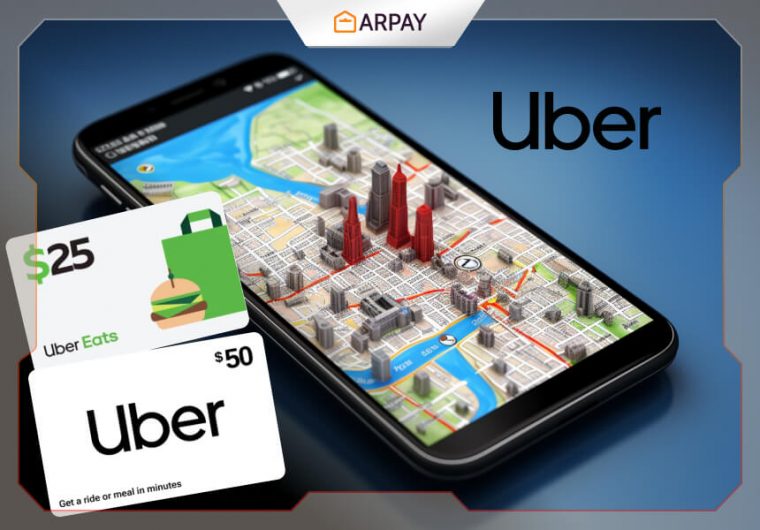
Uber Gift Cards work on both the Uber app and Uber Eats app. This means you can use your gift card balance to pay for rides or food delivery. The balance automatically applies when you select Uber Gift Card as your payment method at checkout.
However, the gift cards are not valid outside of Uber’s services. You can’t use them for third-party services or other apps. Always check your balance before ordering to avoid surprises.
Types Of Uber Gift Cards
Uber offers different types of gift cards to suit your needs. The most common ones are:
- Physical Gift Cards:These are plastic cards you can buy in stores or online. You redeem the code in the Uber app.
- Digital Gift Cards:Delivered via email, these cards are easy to send as gifts. You just enter the code in your account.
- Promotional Gift Cards:Sometimes Uber offers special gift cards with discounts or bonuses during promotions.
Each type works the same way once added to your Uber account. Think about which type fits your situation best before purchasing or sending one.

Credit: www.giftstation.co.nz
Applying Uber Gift Cards To Uber Eats
Applying an Uber gift card to Uber Eats is simple and saves money on food orders. The gift card balance adds to your Uber account wallet. This balance can pay for your meals without extra effort.
The process only takes a few minutes and works on both the Uber app and website. Follow the steps carefully to avoid errors and enjoy your food quickly.
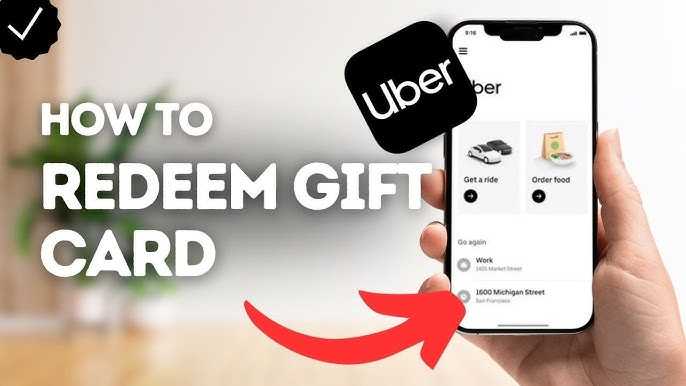
Step-by-step Redemption Process
- Open the Uber app or visit the Uber website.
- Go to the “Payment” section in the menu.
- Select “Add Payment Method” or “Add Gift Card.”
- Enter the gift card code exactly as shown on the card.
- Tap “Add” or “Redeem” to apply the balance.
- Check your Uber Wallet balance to confirm the update.
- Choose Uber Eats and place your order using your wallet balance.
Common Issues And Fixes
- Gift card code not accepted? Double-check for typos.
- Ensure your gift card is activated and not expired.
- Using a different country’s Uber app? Gift cards may not work.
- Clear app cache or reinstall the app if it won’t accept the code.
- Contact Uber support if the balance does not update after redemption.
- Make sure your payment method is set to Uber Wallet when ordering.
Benefits Of Using Uber Gift Cards For Eats
Using Uber gift cards for Uber Eats offers more than just convenience—it can also enhance your overall ordering experience. These gift cards provide practical benefits that help you manage your food expenses while enjoying the flexibility of the Uber Eats platform. Let’s look at how you can save money and simplify gifting with Uber gift cards.
Saving Money On Orders
Paying with an Uber gift card means you’re using prepaid funds, which can help you stick to a budget and avoid overspending. Since the card amount is fixed, you’re less likely to add extra items or impulse buys to your order just because you have a credit card ready.
Additionally, Uber often runs promotions and discounts that are applicable when using gift cards. This can multiply your savings, especially if you combine a gift card balance with special deals. Have you ever noticed how much easier it is to control spending when you’re limited to a set amount?
Gifting Convenience
Uber gift cards make excellent presents for friends and family who love ordering food. They remove the guesswork—no need to pick specific meals or restaurants, just let the recipient choose exactly what they want.
Sending a gift card is quick and can be done digitally, making it perfect for last-minute occasions or long-distance gifting. Imagine surprising someone with a meal on you, without the hassle of coordinating delivery details or payment methods.
Credit: ar-pay.com
Alternatives To Uber Gift Cards
Uber gift cards are a popular choice for rides and food delivery. Sometimes, people want other ways to save or pay. Several alternatives exist that also help you enjoy Uber Eats without using gift cards. These options can fit different budgets and needs.
Promotional Codes
Promotional codes offer discounts or free delivery on Uber Eats orders. You can find these codes on websites or newsletters. Enter the code at checkout to reduce your total cost. Codes often target new users or special events. Always check expiration dates before using them. Promo codes provide a simple way to save without preloading money.
Other Payment Options
Uber Eats accepts various payment methods beyond gift cards. Credit and debit cards are the most common choices. You can add multiple cards to your account for convenience. PayPal is another secure option for many users. Some areas support digital wallets like Apple Pay or Google Pay. These payment methods ensure quick checkout and flexible spending.
Frequently Asked Questions
Can Uber Gift Cards Be Used For Uber Eats Orders?
Yes, Uber Gift Cards can be used to pay for Uber Eats orders. The balance applies directly to your account and covers food delivery costs.
How Do I Redeem An Uber Gift Card For Uber Eats?
To redeem, enter the gift card code in your Uber app wallet. The balance will automatically apply to both Uber rides and Uber Eats.
Are There Restrictions Using Uber Gift Cards On Uber Eats?
Uber Gift Cards generally have no restrictions on Uber Eats. However, some promotions or regional rules might limit usage, so check terms.
Can I Share Uber Gift Card Balance With Others For Uber Eats?
Yes, sharing your Uber Gift Card balance is possible by sharing your account or gift card code. The balance works across Uber services.
Conclusion
Uber gift cards work for both rides and Uber Eats orders. You can add the card balance to your Uber app easily. This balance pays for food delivery without extra steps. Keep in mind to check your card’s balance before ordering.
Using gift cards makes paying simple and fast. Enjoy your meals and rides without worrying about payment. Uber gift cards offer flexible options for spending. Try using them next time you want food or a ride. It’s a convenient way to manage your Uber expenses.

Similar Posts































