How Do Apple Gift Cards Work: Unleash Endless Possibilities
Have you ever wondered how Apple Gift Cards actually work? Whether you received one as a gift or are thinking about buying one, understanding how to use it can make a big difference.
Imagine having the freedom to choose apps, music, or even the latest gadgets without worrying about your credit card. You’ll discover everything you need to know about Apple Gift Cards—how to redeem them, where you can use them, and tips to get the most out of your balance.
Keep reading, and you’ll unlock the full potential of your Apple Gift Card.
Credit: www.target.com
What Are Apple Gift Cards
Apple Gift Cards are a simple and flexible way to give someone the freedom to choose from Apple’s wide range of products and services. These cards hold a specific value that you can use across Apple’s ecosystem, including hardware, apps, music, and more. Understanding what they are can help you decide if they fit your gifting needs or personal use.
What Is An Apple Gift Card?
An Apple Gift Card is a prepaid card loaded with a set amount of money. You can use it to purchase items from the Apple Store, App Store, iTunes Store, or even subscribe to Apple services like Apple Music or iCloud storage. It works like cash within Apple’s platforms but cannot be exchanged for physical currency.
Where Can You Use Apple Gift Cards?
These cards are accepted across multiple Apple channels. You can shop for the latest iPhone, MacBook, or accessories in the Apple Store. They also work when buying apps, games, or digital content on the App Store and iTunes Store. Plus, you can apply the balance toward monthly subscriptions like Apple Arcade or Apple TV+.
How Do Apple Gift Cards Differ From Apple Store Gift Cards?
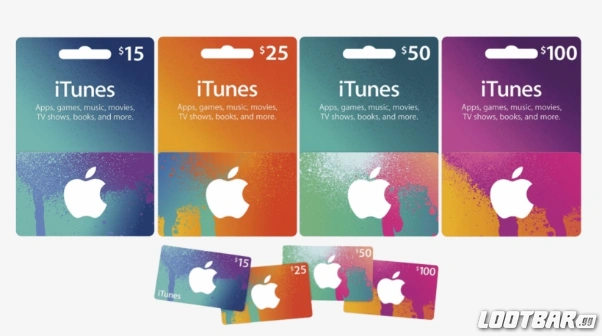
Apple Gift Cards replaced the older Apple Store Gift Cards and iTunes Gift Cards by combining their uses. Unlike the previous cards, the new Apple Gift Cards can be used for both physical products and digital content. This gives you and your gift recipients more flexibility and control over how to spend the balance.
Are Apple Gift Cards Reloadable?
Apple Gift Cards are typically not reloadable once the initial balance is used. You can add new cards to your Apple ID account to increase your balance, but each card has a fixed value purchased at the start. This makes budgeting easier for gifts or personal use without worrying about unexpected charges.
Can You Share Apple Gift Cards?
You can easily share Apple Gift Cards with friends or family by sending them digitally via email or Messages. Physical cards are also available in retail stores if you prefer a tangible gift. Sharing a card allows the recipient to spend the balance however they want within Apple’s ecosystem, making it a thoughtful and versatile present.

Credit: www.wikihow.com
Where To Buy Apple Gift Cards
Finding the right place to buy an Apple Gift Card is easier than you might think. You have several options, both online and in physical stores, depending on what suits your needs best.
Knowing where to purchase Apple Gift Cards can save you time and sometimes even money. Are you looking for the convenience of digital delivery, or do you prefer holding a physical card in your hand? Let’s look at the main places where you can buy these gift cards.
Apple Online Store
The official Apple Online Store is a straightforward choice. You can buy digital Apple Gift Cards that arrive instantly via email. This is perfect if you want to send a gift quickly without leaving your home.
Buying here ensures authenticity and immediate use. Plus, you can choose from different designs and amounts. Have you ever sent a gift card last minute? This option might just save your day.
Apple Retail Stores
Walking into an Apple Store means you can pick up a physical gift card. It’s a great option if you want a tangible gift to wrap and present. Plus, you can ask the staff any questions about the card or how to redeem it.
These stores usually have a variety of designs available. You might find special edition cards during holidays or events. Have you ever noticed how much easier it is to give a gift in person?
Authorized Retailers And Grocery Stores
Many authorized retailers like Best Buy, Target, Walmart, and grocery stores sell Apple Gift Cards. These cards are available both physically and sometimes digitally. This convenience makes it easy to pick one up while doing your regular shopping.
Prices are usually the same as Apple’s, but occasional promotions can save you money. Have you checked if your local store offers any discounts or bonus deals on gift cards?
Online Marketplaces
Websites like Amazon also offer Apple Gift Cards. Buying from a trusted marketplace can be convenient, especially if you already shop there. Just make sure to buy from verified sellers to avoid scams.
Amazon often allows you to send the card directly to the recipient’s email. This is helpful when you want to combine gift shopping in one place. Have you tried sending a digital gift card this way?
How To Redeem Apple Gift Cards
Redeeming your Apple Gift Card is straightforward and flexible, fitting smoothly into your daily Apple device use. Whether you prefer using your iPhone, Mac, or simply managing through your Apple ID online, the process is quick and ensures your balance is ready for purchases or subscriptions. Let’s dive into how you can redeem your card on different devices and platforms, so you can start enjoying your credit without delay.
Redeeming On Iphone And Ipad
Open the App Store app on your iPhone or iPad and tap your profile picture at the top right. Select “Redeem Gift Card or Code,” then either use your device’s camera to scan the card or enter the code manually.
Once entered, your Apple ID balance updates instantly. This balance applies automatically to App Store purchases, Apple Music, iCloud storage, and more. Have you noticed how quick it feels to redeem a card this way, avoiding the need to type long codes?
Redeeming On Mac And Pc
On your Mac, open the App Store and click your name or the sign-in button at the bottom of the sidebar. Choose “Redeem Gift Card” from the Account menu, then enter the card’s code or use your webcam to scan it.
For PC users, open iTunes and go to the Account menu, then click “Redeem.” Enter your gift card code, and your balance updates immediately. This seamless process means you can add funds without interrupting your workflow or entertainment time.
Redeeming Via Apple Id Account
You can also redeem your Apple Gift Card directly through your Apple ID account online. Visit the Apple ID website, sign in, and find the option to redeem gift cards or codes under your account settings.
This method is handy if you don’t have your devices nearby. Have you ever added credit this way when buying gifts for others or managing family accounts? It’s a convenient tool that keeps your Apple ecosystem connected.
What You Can Purchase
Apple Gift Cards open up a wide range of purchasing options that let you enjoy Apple’s digital ecosystem to the fullest. From entertainment to productivity, the card gives you the freedom to choose what fits your needs and interests. Here’s a closer look at what you can buy with your Apple Gift Card.
Apps And Games
You can use your Apple Gift Card to buy apps and games from the App Store. Whether you need a new photo editor, a fitness tracker, or want to try out the latest game, the card covers it all. Have you ever found yourself stuck deciding which app to get? With a gift card, you can easily experiment without worrying about immediate payments.
Many developers offer in-app purchases too, like extra levels or premium features, which the card also supports. This means your gaming experience or app functionality can expand as you want, without entering your credit card details every time.
Music And Movies
Your Apple Gift Card works perfectly for buying music and movies from the iTunes Store. You can add new albums, singles, or rent and purchase movies to watch anytime. Imagine building your personal soundtrack or movie library with just a few clicks, all funded by the gift card.
This is especially useful if you prefer owning your digital content rather than streaming. It gives you the flexibility to access your favorites offline and share them with family members through Apple’s Family Sharing.
Icloud Storage And Subscriptions
Need more space for your photos or documents? Apple Gift Cards can pay for iCloud storage upgrades, ensuring your data stays safe and accessible across devices. Subscriptions like Apple Music, Apple TV+, Apple Arcade, and even Apple News+ are all payable with your gift card balance.
Using your gift card for subscriptions means you can manage payments easily and avoid surprises on your credit card bill. Have you tried setting up a family plan? It’s a smart way to share benefits and save money.
Using Apple Gift Cards For Family Sharing
Apple Gift Cards can be shared easily with family members. Family Sharing lets you share your Apple purchases with up to six people. This includes apps, music, movies, and more. Using an Apple Gift Card with Family Sharing means everyone can enjoy the balance.
Each family member can use the shared balance to buy items from the App Store or Apple services. The organizer controls the payment method but the gift card balance is available to all. This makes it simple to manage spending and share gifts.
How To Add Apple Gift Cards To Family Sharing
The family organizer adds the Apple Gift Card balance to their Apple ID. This balance becomes available for the whole family group. Family members do not need to add the card themselves. The shared balance works automatically for purchases.
Using Shared Balance For Purchases
When a family member buys something, the cost uses the shared balance first. If the balance is not enough, the organizer’s payment method pays the rest. This helps control spending within the family. Everyone benefits from the gift card funds.
Managing Spending Limits And Controls
The organizer can set purchase limits for children in the family. This keeps spending safe and within budget. Parents get notifications about purchases. It’s easy to see how the gift card balance is used.
Benefits Of Family Sharing With Apple Gift Cards
- Shared access to apps and media
- Simple management of gift card funds
- Control over family spending
- Convenient for group purchases
- Works seamlessly with Apple services

Credit: apps.apple.com
Managing Gift Card Balance
Managing your Apple Gift Card balance is simple and helps you keep track of your funds. Knowing how much credit you have avoids surprises during checkout. It also lets you plan purchases better.
You can check your balance anytime through various Apple services. Combining multiple cards into one balance is also possible. This feature makes spending easier and more flexible.
Checking Your Balance
To check your Apple Gift Card balance, use your iPhone, iPad, or Mac. Open the App Store or iTunes Store app and tap your profile icon. Select “Redeem Gift Card or Code” to view your remaining balance.
You can also visit the Apple website and sign in with your Apple ID. The balance appears under your account information. Keep your gift card code handy if needed for verification.
Adding Multiple Cards
Apple allows adding several gift cards to one Apple ID. This combines the balances into a single spending fund. Redeem each card by entering its code in the App Store or iTunes app.
The total balance updates automatically after each card is added. This way, you can use all credits without managing separate amounts. It saves time and keeps your spending organized.
Gift Cards And Security Tips
Apple Gift Cards are a popular way to give or receive credit for Apple products and services. But just like handling cash or credit cards, you need to be careful about security. Understanding how to protect your card and balance can save you from frustrating losses and scams.
Avoiding Scams
Scammers often target gift card users by asking for card numbers or PINs through phone calls, emails, or fake websites. Never share your gift card details with anyone you don’t fully trust.
Be cautious if someone pressures you to pay with an Apple Gift Card for unexpected reasons. Real companies or government agencies will never ask for payment this way.
Always buy Apple Gift Cards from official Apple stores or trusted retailers. Avoid deals that seem too good to be true—they often are.
Protecting Your Balance
Keep your card number and PIN private until you are ready to use it. Treat the card like cash; once it’s redeemed, it’s gone.
You can check your remaining balance anytime on Apple’s official website or through your Apple ID account. This helps you spot any unauthorized use early.
If you lose your card or suspect someone else has used it, contact Apple Support immediately. They may help if you have proof of purchase.
Creative Ways To Use Apple Gift Cards
Apple Gift Cards offer more than just a way to buy apps or music. They can be a versatile tool that enhances your Apple experience in unexpected ways. Knowing how to use them creatively can save you money and make your digital life more enjoyable.
Using Apple Gift Cards To Share Subscriptions
You can use your Apple Gift Card balance to pay for subscriptions like Apple Music, Apple TV+, or iCloud storage. Instead of charging your credit card every month, preload your account with a gift card. This helps you manage your expenses better and avoid surprise charges.
Ever thought about gifting a subscription to a friend or family member? Adding credit to their Apple ID lets them enjoy premium services without needing your payment info.
Buying Apps And In-app Purchases
Apple Gift Cards are perfect for purchasing paid apps or making in-app purchases. If you find yourself spending on game upgrades or premium app features, using gift card balance can help control your spending. It’s a simple way to stay within budget while still enjoying your favorite apps.
Have you noticed how some apps offer exclusive content only through in-app purchases? Using your gift card balance makes it easier to access those extras without linking your credit card.
Gift Cards For Family Sharing
Family Sharing lets you share purchases and subscriptions with up to six people. By adding an Apple Gift Card to the family organizer’s account, everyone can benefit from the balance. This means each family member can download apps, music, or movies without worrying about individual payments.
Think about how much you spend on apps and entertainment for your family each month. Using one gift card balance collectively can simplify payments and reduce costs.
Using Gift Cards For Apple Hardware Accessories
Did you know you can use Apple Gift Cards to buy accessories from the Apple Store? From AirPods to cases and chargers, your gift card balance can cover these extras. This is a practical way to save on Apple gear without dipping into your regular budget.
Next time you need a new cable or want to upgrade your headphones, check your gift card balance first—it might just cover the cost.
Frequently Asked Questions
How Do Apple Gift Cards Work For Purchases?
Apple Gift Cards can be used to buy products, apps, or subscriptions. Simply redeem the card to add its value to your Apple ID balance. Then, use this balance for Apple Store purchases or digital content on the App Store, iTunes, and more.
Can Apple Gift Cards Be Used Internationally?
Apple Gift Cards are generally region-specific. You must redeem and use the card in the country where it was purchased. Using it outside that region may not work due to currency and store restrictions set by Apple.
How To Check Apple Gift Card Balance?
To check your Apple Gift Card balance, open the App Store or iTunes Store. Tap your profile, then select “Redeem Gift Card or Code. ” You’ll see your current balance displayed on the screen if you have an active balance.
Can Apple Gift Cards Be Combined With Other Payment Methods?
Yes, Apple Gift Cards can be combined with other payment methods. Your Apple ID balance covers as much as possible, and the remaining amount is charged to your default payment method like a credit card.
Conclusion
Apple Gift Cards offer a simple way to buy apps, music, and more. You can redeem them easily on Apple devices or online. These cards help control spending and make great gifts. Keep track of your balance to avoid surprises.
Using Apple Gift Cards lets you enjoy Apple services with ease. Now you know how they work and how to use them well. Give them a try for your next Apple purchase. Simple, safe, and useful.

Similar Posts































