How Do I Use a Mastercard Gift Card: Simple Guide
Have you ever wondered how to make the most of your Mastercard gift card? You’re holding a powerful tool that can make shopping easy, whether online or in stores.
But if you’re not sure how to use it, you might miss out on its full potential. You’ll discover simple steps to activate and spend your card confidently. By the end, you’ll feel ready to use your Mastercard gift card like a pro—saving time and avoiding common pitfalls.
Keep reading to unlock all the tips you need!
Credit: www.gianteagle.com
Getting Started With Your Mastercard Gift Card
Getting started with your Mastercard Gift Card is straightforward and hassle-free. Before you can enjoy shopping or paying bills with it, a couple of simple steps ensure your card works perfectly. These steps help you avoid common issues and give you confidence in managing your card balance effectively.
Activating The Card
Your Mastercard Gift Card usually needs activation before use. Look for a sticker or insert with activation instructions that came with your card. Most cards can be activated by visiting a website or calling a toll-free number provided.
During activation, you might be asked for the card number, security code, and sometimes your personal information. This process links the card to your account and prevents unauthorized use. Have you ever tried using a card only to find out it wasn’t activated? Avoid that frustration by activating right away.
Checking The Balance
Knowing your card’s balance is crucial to avoid declined purchases. You can check your balance online by entering your card details on the issuer’s website. Some cards also allow balance checks through a phone call or mobile app.
Keep in mind that some merchants do not inform you if your balance is low before a purchase. Checking your balance regularly helps you plan your spending and avoid declined transactions. Would you prefer checking your balance instantly on your phone or waiting in line to ask at the store?
Where You Can Use Your Mastercard Gift Card
Knowing where you can use your Mastercard Gift Card opens up many convenient spending options. These cards function like prepaid credit cards, giving you flexibility without needing a bank account. You might be surprised how many places accept them, both online and offline.
Online Purchases
Using your Mastercard Gift Card for online shopping is quick and easy. Just enter the card number, expiration date, and CVV code at checkout like you would with a regular credit card. Many popular websites, from clothing stores to streaming services, accept Mastercard Gift Cards without any hassle.
Have you tried buying digital subscriptions or eBooks with your gift card? It’s a smart way to stretch your budget and get exactly what you want. Just remember to check the balance before you start shopping to avoid declined transactions.
In-store Payments
You can also use your Mastercard Gift Card at most physical stores that accept Mastercard. When you’re at the register, simply swipe, insert, or tap your card like a debit or credit card. It’s a great alternative if you want to avoid carrying cash.
Some users find it handy for budgeting. Using a gift card limits spending to the card’s balance, so you won’t accidentally overspend. Next time you’re at a grocery store or restaurant, try paying with your Mastercard Gift Card and see how seamless it feels.
Using At Atms
Did you know you can withdraw cash from your Mastercard Gift Card at ATMs? This feature depends on the card’s terms and whether it allows cash access. If available, you’ll need your PIN to make a withdrawal just like with a debit card.
Before you head to an ATM, check if there are fees involved and the daily withdrawal limits. Using your gift card for cash can be a lifesaver in emergencies but plan ahead to avoid surprises. Have you ever needed quick cash and found your gift card handy?
Making A Purchase With The Card
Using your Mastercard gift card to make a purchase is straightforward once you know the process. Whether you’re buying groceries, shopping online, or grabbing a coffee, the card works much like a regular debit or credit card. Understanding the steps can save you time and avoid any surprises during checkout.
Swipe Or Insert Methods
At many stores, you can simply swipe your Mastercard gift card through the card reader. Some locations might require you to insert the card into the chip reader instead. Both ways allow the payment terminal to read your card’s information securely.
Keep in mind that some terminals may only accept chip insertion for added security. If you’re unsure, look for prompts on the payment screen or ask the cashier. Your card works just like any other Mastercard in these situations.
Entering The Pin
Most Mastercard gift cards don’t require a PIN for purchases under a certain amount. However, if the terminal asks for a PIN, you should have set one up when activating the card or when registering online. Entering the correct PIN authorizes the transaction and protects you from unauthorized use.
If you forgot your PIN or didn’t set one, check the card’s instructions or the issuer’s website. Sometimes, you can request a PIN or reset it quickly. Without the right PIN, some purchases may not go through, especially at places like gas stations or ATMs.
Handling Declined Transactions
A declined transaction can be frustrating, but it’s usually easy to fix. Check if your card has enough balance to cover the purchase. Remember, some stores don’t allow split payments, so the full amount must be available on the card.
If your card is declined even with sufficient funds, try swiping or inserting it again carefully. Sometimes, a simple error in reading the card causes the issue. If problems persist, contact the card issuer’s customer service—often, they can quickly resolve any holds or errors.
Managing Your Card Balance
Managing your Mastercard Gift Card balance is crucial to make sure you get the most out of it without surprises. Keeping track of your spending, knowing how to reload the card if needed, and understanding expiration dates and fees can save you both money and frustration. Let’s take a closer look at these key areas to help you stay in control of your card.
Tracking Your Spending
Keeping an eye on your card balance helps you avoid declined transactions or overspending. You can check your balance easily online by visiting the card issuer’s website or using their mobile app. Some cards also offer text or email alerts to notify you when your balance is low.
Have you ever tried to pay for something only to realize your card didn’t have enough funds? That’s exactly why checking your balance regularly is a smart move. It also helps you plan your purchases better and stretch your gift card value.
Reloading Options
Not all Mastercard Gift Cards can be reloaded, but some allow you to add funds to keep using the card beyond the initial amount. If your card supports reloading, you can usually do this online or through the card issuer’s customer service.
Before trying to reload, check your card’s terms to see if it’s possible and if there are any limits or fees involved. If reloading isn’t available, consider how you can maximize the existing balance by using it for essential or planned purchases.
Expiration And Fees
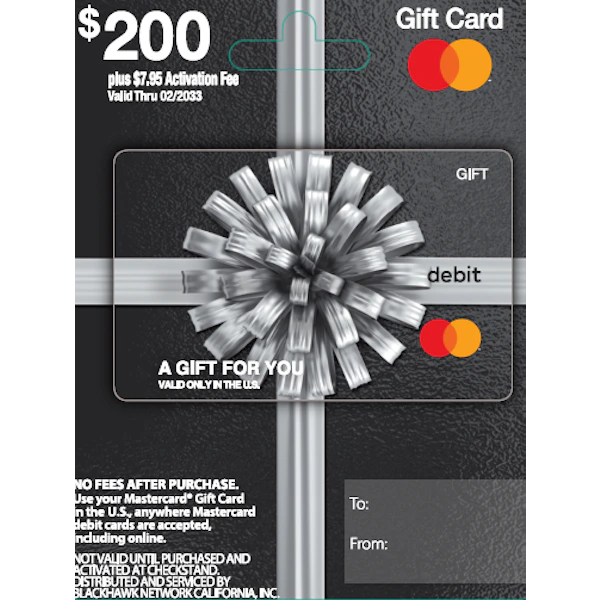
Many Mastercard Gift Cards come with expiration dates and may have fees that reduce your balance over time. Look at the card’s packaging or online account details to find out when your card expires and what fees apply.
- Some cards charge monthly maintenance fees after a certain period of inactivity.
- Other fees might include replacement card fees or transaction fees.
Do you know when your card expires? Ignoring this could mean losing unused money. Staying informed helps you use your card fully before any fees or expiration cut into your funds.
Troubleshooting Common Issues
Mastercard gift cards are simple to use, but issues can arise. Knowing how to handle common problems saves time and stress. This section covers frequent concerns and ways to address them quickly.
Lost Or Stolen Card
Report a lost or stolen card immediately. This helps protect your remaining balance. Most Mastercard gift cards cannot be replaced, but reporting stops unauthorized use.
Keep your card information safe. Note the card number and customer service contact. This info is crucial if the card goes missing.
Transaction Disputes
Review your transaction history carefully. Check for errors or unfamiliar charges. Contact the merchant first to resolve any issue.
If the merchant does not help, reach out to the card issuer. Provide details like the transaction date and amount. Keep receipts or proof of purchase handy for faster support.
Customer Support Contacts
Use the phone number on the back of your card for support. Customer service teams handle balance inquiries, disputes, and lost card reports.
Some issuers offer online account management. Register your card online to track balance and transactions easily.

Credit: www.youtube.com

Credit: vividgold.africa
Frequently Asked Questions
How Do I Activate A Mastercard Gift Card?
Most Mastercard gift cards are activated at purchase. Check the card packaging or receipt for activation instructions. Sometimes activation requires a phone call or online registration to start using the card.
Where Can I Use My Mastercard Gift Card?
You can use a Mastercard gift card anywhere Mastercard is accepted. This includes online stores, physical retailers, and restaurants. Ensure your card balance covers the purchase amount.
Can I Check The Balance On My Mastercard Gift Card?
Yes, you can check your card balance online or by phone. Visit the issuer’s website or call the customer service number on the card’s back to see your remaining funds.
Is A Mastercard Gift Card Reloadable?
Most Mastercard gift cards are not reloadable. They are prepaid and hold a fixed amount. Once the balance reaches zero, the card cannot be used again.
Conclusion
Using a Mastercard gift card is simple and convenient. Just activate the card, check the balance, and use it like a regular card. It works for many stores and online shops. Keep track of your spending to avoid running out of money.
Always read the terms to understand fees or expiration dates. With a little care, this card can help you manage your money easily. Try it today and enjoy the freedom it offers.

Similar Posts































