How to Activate Visa Gift Card: Easy Step-by-Step Guide
You just received a Visa gift card, and now you’re eager to use it. But wait—how do you activate it?
Without activation, your card won’t work, and that could be frustrating when you’re ready to shop or pay bills. Don’t worry, activating your Visa gift card is simple and quick. In this guide, you’ll discover easy steps that anyone can follow to get your card up and running fast.
Keep reading to unlock the full power of your Visa gift card and make every dollar count.
Check Card Details
Checking your Visa gift card details is essential before activation. It ensures the card is ready for use and prevents errors during activation. Take time to carefully review the card’s key information. This simple step saves time and hassle later.
Locate Card Number And Pin
The card number is a long sequence of digits on the front of the card. It usually has 16 numbers. The PIN is a smaller set of numbers needed for activation and purchases. Sometimes, the PIN is on a sticker on the back of the card or inside the packaging.
Keep the card number and PIN secure. Avoid sharing these details with others. These numbers are required to activate and use the card safely.
Verify Expiration Date
Look for the expiration date printed on the front of the card. It shows the last month and year the card can be used. Cards must be activated before this date. Expired cards cannot be activated or used.
Check the date carefully. Some cards expire within a year or two. Knowing the expiration date helps plan when to use the card fully.
Credit: www.facebook.com
Choose Activation Method
Choosing the right activation method is the first step to using your Visa gift card. Each method offers convenience and quick access. Select the option that fits your situation and preference. Activation usually takes just a few minutes.
Online Activation
Most Visa gift cards can be activated online. Visit the official website listed on the card packaging. Enter the card number, expiration date, and security code. You may also need to provide the purchase receipt or activation code. The website guides you through each step clearly. This method is fast and can be done anytime.
Phone Activation
Call the toll-free number on the card’s back to activate it. Follow the automated voice instructions carefully. You will provide the card number and other details. Some cards require you to speak with a customer service agent. Phone activation is helpful when you have no internet access. Keep your card and receipt ready before calling.
In-store Activation
Many stores activate Visa gift cards at checkout. The cashier can activate the card for you. This option works well if you just bought the card. Some retailers have self-service kiosks for activation. Ask store staff if you need help. In-store activation is quick and simple.
Activate Online
Activating your Visa gift card online is often the quickest and most convenient way to get it ready for use. It saves you a trip to the store and lets you manage your card from the comfort of your home. The process is straightforward, and you can complete it in just a few minutes.
Visit Official Website
Start by going to the official website printed on the back of your Visa gift card. This site is specifically set up for card activation and balance checks. Make sure you type the URL directly into your browser to avoid fake websites.
Enter Required Information
You will be asked to enter details like your card number, expiration date, and the CVV code found on the back of the card. Some sites might also require your zip code for verification. Double-check each entry to avoid delays or errors during activation.
Set Up Account If Needed
Some Visa gift cards require you to create an account to manage your card online. This usually involves setting a username and password, plus providing an email address. Having an account can help you track your balance and transaction history easily.
Activate By Phone
Activating your Visa Gift Card by phone is a quick and straightforward process. It’s a great option if you prefer speaking with an automated system rather than activating online. This method often takes just a few minutes and can be done from anywhere.
Call Activation Number
Look for the activation phone number printed on the back of your Visa Gift Card. This number is your direct line to the activation system. Keep your card handy because you’ll need to enter specific details exactly as they appear on the card.
Follow Automated Instructions
Once connected, listen carefully to the automated voice prompts. You’ll be asked to enter your card number, expiration date, and sometimes the security code. Take your time and double-check each entry to avoid errors that could delay activation.
Confirm Activation
After entering your information, the system will confirm your card is activated. You might receive a confirmation code or message. Try making a small purchase or checking your balance to ensure the activation worked perfectly.
Activate In Store
Activating your Visa gift card in store is often the quickest way to get it ready for use. This option suits those who want immediate confirmation and prefer face-to-face interaction. Plus, many retailers handle activation right at the checkout, making the process seamless.
Find Participating Retailers
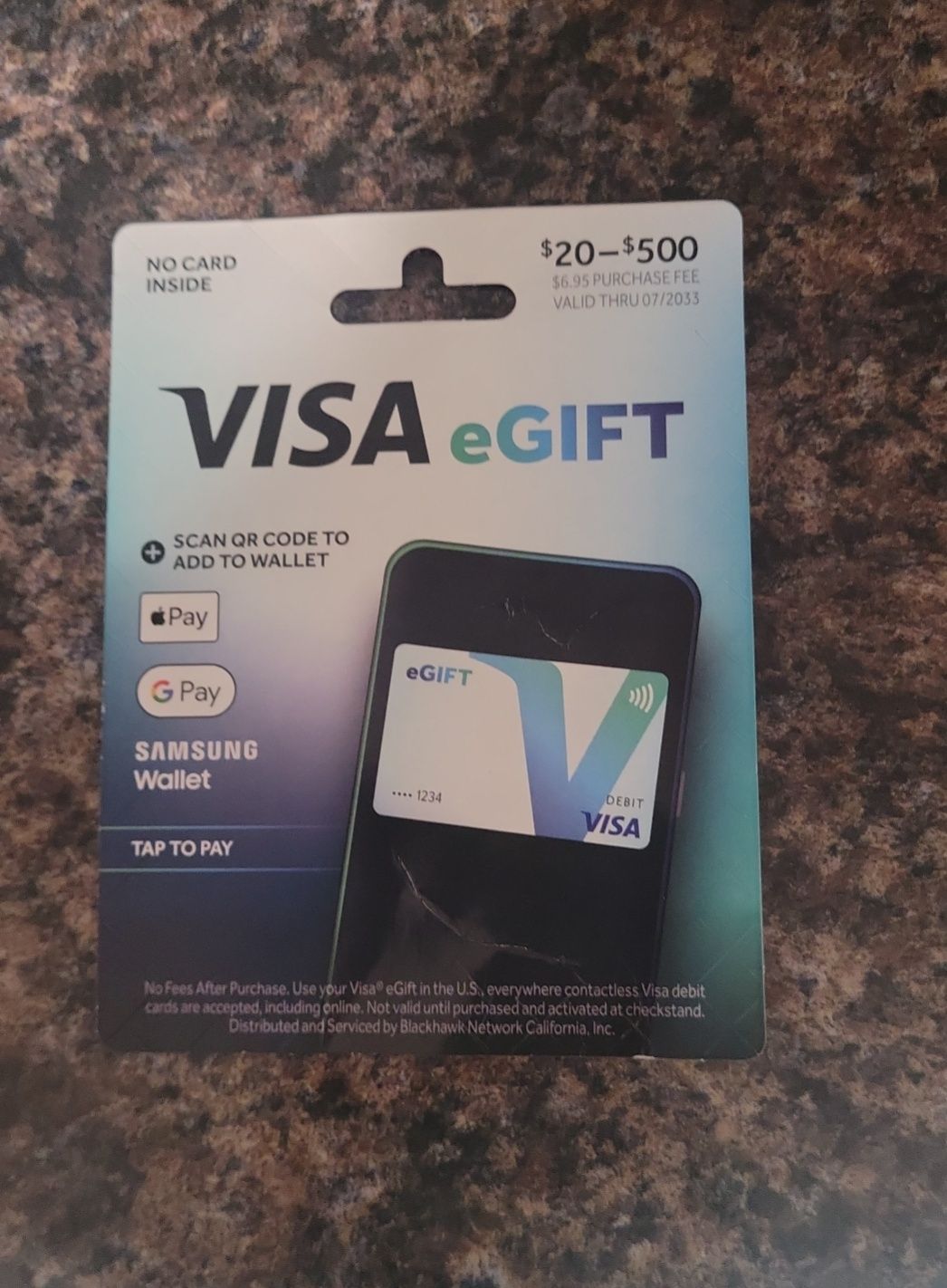
Not all stores activate Visa gift cards, so identifying the right retailer is key. Major chains like Walmart, CVS, and Walgreens typically offer activation services. You can check the back of your card or visit the Visa website to find a list of authorized locations near you.
Present Card To Cashier
When you’re at the store, hand your Visa gift card to the cashier before you pay. Let them know you want to activate it, as some stores require this step before your purchase is complete. This ensures the card is activated immediately and ready for use right away.
Complete Activation Process
The cashier will usually swipe or scan your card and follow prompts to activate it. Sometimes, you might need to provide your ID or sign a receipt. Once done, the cashier will confirm that your card is active — now you can use it anywhere Visa is accepted.

Credit: www.youtube.com
Troubleshoot Activation Issues
Activating a Visa gift card should be simple, but sometimes issues arise. Troubleshooting activation problems helps you use the card quickly. Knowing common problems and when to contact support saves time and frustration.
Common Problems
- The card number or PIN was entered incorrectly.
- The card is not yet activated by the store or issuer.
- The activation website or phone line is temporarily down.
- The card has expired or been reported lost/stolen.
- The billing address or personal information does not match.
Check these points carefully before trying again. Use the exact details printed on the card and follow the activation instructions precisely.
When To Contact Support
Contact customer support if the card still does not activate after multiple attempts. Problems like damaged cards or system errors require professional help.
Have your card number and purchase receipt ready. Explain the issue clearly. Support teams can verify your card status and fix activation problems fast.
Use Your Activated Card
Once your Visa gift card is activated, it becomes ready for use. The card works like cash but offers more convenience. Understanding how to use your activated card helps you manage your funds well. You can check your balance, make purchases, and explore reload options easily.
Check Balance
Keep track of your card’s balance to avoid declined payments. Visit the official website or call the customer service number on the card. Some cards allow balance checks through mobile apps. Always check before shopping or paying bills.
Make Purchases
Use your card anywhere Visa is accepted. Swipe, insert, or enter the card details online. Remember, the purchase cannot exceed the remaining balance. Some stores may ask for ID to confirm the purchase. Use the card for groceries, gifts, or online shopping.
Reload Options
Many Visa gift cards allow adding more money. Check if your card supports reloading on the back or website. Reload through bank transfer, direct deposit, or retail locations. Reloading keeps your card active longer. Always confirm reload fees and limits before adding funds.

Credit: www.facebook.com
Frequently Asked Questions
How Do I Activate My Visa Gift Card Online?
To activate your Visa gift card online, visit the card issuer’s official website. Enter the card number, expiration date, and CVV. Follow the on-screen instructions to complete activation quickly and securely.
Can I Activate A Visa Gift Card By Phone?
Yes, you can activate your Visa gift card by calling the number on the back. Follow the automated prompts or speak to a representative. Provide your card details to complete activation.
Is Activation Required Before Using A Visa Gift Card?
Yes, activation is necessary before using your Visa gift card. Without activation, transactions may be declined. Activate promptly to ensure your card works for online and in-store purchases.
How Long Does Visa Gift Card Activation Take?
Activation of a Visa gift card is usually instant or takes a few minutes. Once activated, you can immediately use the card for purchases or withdrawals.
Conclusion
Activating your Visa gift card is simple and quick. Follow the steps clearly and check your card balance. Use the card for shopping or online payments without worry. Keep your activation receipt for future reference. Stay aware of any fees or expiration dates.
Enjoy the convenience of your Visa gift card anytime. Easy to activate, easy to use.

Similar Posts































