How to Redeem Playstation Gift Card: Easy Guide
Have you just received a PlayStation gift card and aren’t sure how to use it? You’re in the right place.
Redeeming your PlayStation gift card is simpler than you might think, and once you know the steps, you’ll unlock a world of games, movies, and add-ons instantly. Imagine turning that card into your next favorite game or exclusive content without any hassle.
Keep reading, and you’ll learn exactly how to redeem your PlayStation gift card quickly and safely—so you can start enjoying your rewards right away.
What Is A Playstation Gift Card
A PlayStation Gift Card is a prepaid card for PlayStation users. It adds funds to your PlayStation Network wallet. You can use these funds to buy games, movies, and more. It is a simple way to pay without a credit card.
These cards come in different amounts. You can choose the value that suits your needs. They are available online and in many stores. Redeeming a card is easy and fast.
What Does A Playstation Gift Card Include?
The card has a unique code. This code is important for adding money. It also shows the card value. Some cards are physical, others are digital codes sent by email.
Where Can You Use A Playstation Gift Card?
You can use it on the PlayStation Store. It works on PlayStation 4 and PlayStation 5. Also, you can use it in the PlayStation App. The card works in many countries but check regional restrictions.
Why Use A Playstation Gift Card?
- Safe payment without sharing credit card details
- Perfect gift for friends and family
- Helps control spending on games and content
- Access to discounts and special offers on the PlayStation Store

Credit: www.youtube.com
Where To Buy Playstation Gift Cards
Finding the right place to buy PlayStation gift cards can make your gaming experience smoother and more enjoyable. Whether you want a physical card or a digital code, knowing where to shop helps you avoid scams and get the best deals. Let’s look at some reliable options where you can purchase PlayStation gift cards quickly and safely.
Retail Stores And Supermarkets
Physical stores like Walmart, Target, and Best Buy often carry PlayStation gift cards in their gaming or electronics sections. You can pick up a card in various denominations, which makes it easy to choose the amount you want to spend. Buying in-store also lets you avoid delivery waits and gives you instant access to your card.
Online Marketplaces
Websites like Amazon and eBay offer a wide range of PlayStation gift cards, often with discounts or special bundles. However, you should be cautious and buy only from trusted sellers to avoid fake or expired codes. Digital delivery means you can get your code immediately after purchase, which is perfect if you want to redeem it right away.
Official Playstation Store
You can buy digital PlayStation gift cards directly from the official PlayStation Store website. This option guarantees authenticity and instant delivery of your code. Plus, you can often find exclusive offers or promotions available only through Sony’s official platform.
Mobile Payment Apps And Services
Apps like PayPal, Google Pay, and even some mobile carriers sometimes offer PlayStation gift cards for purchase. These options are convenient if you want to buy on the go using your smartphone. They also provide secure payment methods and immediate access to your digital gift card.
Local Convenience Stores
Many convenience stores and gas stations stock PlayStation gift cards near the checkout counter. These locations are perfect for last-minute purchases or when you need a card outside regular shopping hours. The variety might be limited, but they offer quick and easy access.
Steps To Redeem On Playstation Console
Redeeming a PlayStation gift card on your console is simple and fast. Follow clear steps to use the card credit for games, movies, or subscriptions. Each step ensures the code is applied correctly to your account.
Accessing The Playstation Store
Turn on your PlayStation console and sign in to your account. From the home screen, find the PlayStation Store icon. Select it to open the store interface. This is where you will enter your gift card code.
Entering The Code
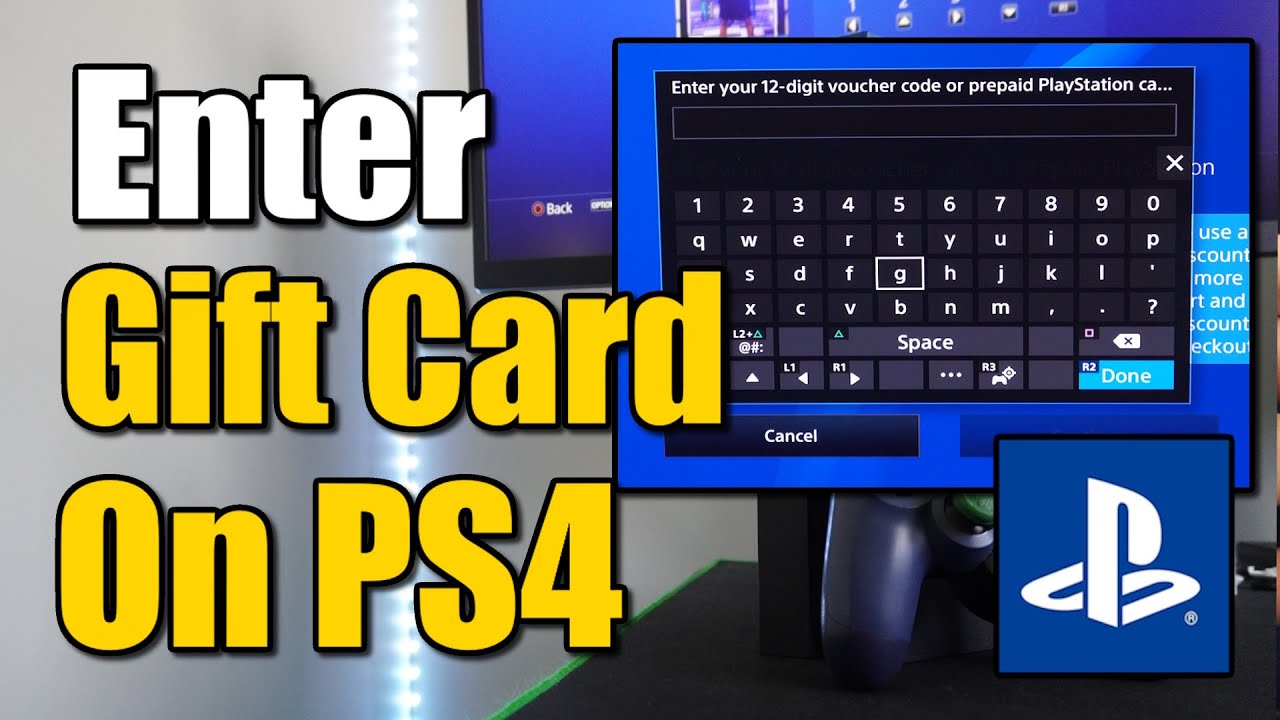
Inside the PlayStation Store, scroll down to find the “Redeem Codes” option. Click on this to open the code entry screen. Use the controller to type the 12-digit code from your gift card carefully. Double-check the code for any mistakes before confirming.
Confirming The Redemption
After entering the code, the system will verify it. A confirmation message appears if the code is valid. The credit or subscription updates immediately in your account. You can now use your balance to buy content or services on PlayStation.
Redeeming Via Web Browser
Redeeming a PlayStation gift card through a web browser is simple and fast. This method works on any device with internet access. It avoids the need to use your console directly. Follow these steps to add your gift card credit online and enjoy your purchases.
Logging Into Your Account
Open your preferred web browser and go to the official PlayStation website. Enter your email and password to sign in. Make sure you use the account where you want to add the credit. Double-check your login details to avoid errors.
Navigating To Redeem Page
Once logged in, look for your profile icon. Click it to open a menu. Find and select the “Redeem Codes” option. This will take you to the page where you can enter your gift card code. The page is simple and easy to use.
Applying The Gift Card Code
Type the 12-digit code from your PlayStation gift card carefully. Avoid spaces or dashes. After entering the code, click the “Redeem” button. A confirmation message will appear if the code is valid. Your wallet balance will update automatically.
Using The Playstation App
Using the PlayStation App to redeem your gift card offers a quick and easy way to add funds. The app works on both Android and iOS devices. You can redeem your card anytime and anywhere without needing to turn on your console.
Opening The Redeem Section
Start by launching the PlayStation App on your phone. Sign in with your PlayStation Network account if needed. Tap on the profile icon at the bottom right corner. Scroll down and find the “Redeem Codes” option. Tap it to open the code redemption screen.
Inputting The Code
Carefully enter the 12-digit code from your PlayStation Gift Card. Use uppercase letters for accuracy. Double-check each character to avoid errors. The app will notify you if the code is invalid or already used.
Completing The Process
After entering the code, tap the “Next” button. The app will process your request immediately. You will see a confirmation message once the funds are added. Your wallet balance updates automatically. Now, you can use the credit to buy games or subscriptions.

Credit: www.youtube.com
Troubleshooting Common Issues
Redeeming a PlayStation gift card usually goes smoothly. Still, some common issues can stop the process. Knowing how to fix these problems helps save time and frustration. Below are frequent troubles and simple solutions.
Invalid Or Expired Codes
Invalid code errors happen if the code is typed wrong. Check each character carefully. Avoid confusing similar letters and numbers like “O” and “0”.
Expired codes cannot be used. PlayStation gift cards often have expiry dates. Verify the card’s validity date before redeeming. If expired, contact the seller or support for help.
Account Restrictions
Some accounts have restrictions that block redeeming gift cards. For example, accounts with age limits or region mismatches may face issues.
- Ensure the account region matches the gift card region.
- Verify the age settings meet PlayStation’s minimum requirements.
- Check if any bans or suspensions affect the account.
Fix these points to enable successful redemption.
Connectivity Problems
Network issues can stop the code from redeeming. Slow or unstable internet causes errors during the process.
- Test your connection with other websites or apps.
- Restart your router or switch to a wired connection.
- Try redeeming the code again after fixing the connection.
Good connectivity ensures smooth and fast redemption.
Tips For Safe Gift Card Use
Using your PlayStation gift card safely ensures you enjoy your gaming without any interruptions or losses. Being cautious can protect you from common pitfalls like scams and unauthorized access. Here are some practical tips to keep your gift card secure and your gaming experience smooth.
Avoiding Scams
Scammers often target gift card buyers by pretending to be from PlayStation support or other trusted sources. Never share your gift card code or personal details in response to unsolicited emails or messages. If an offer sounds too good to be true, it probably is—always verify the source before acting.
Have you ever received a suspicious message asking for your card code? Treat it as a red flag. Stick to official websites and trusted retailers when purchasing or redeeming your card.
Securing Your Code
After buying your PlayStation gift card, keep the code private until you redeem it. Avoid taking photos of the code or storing it in unprotected places like public cloud drives. A simple way to protect your code is to write it down and store it in a safe spot.
Think about how many times you’ve lost small but important pieces of paper—your gift card code deserves better care. Treat it like cash or any valuable item that can’t be replaced easily.
Checking Balance Regularly
Keeping an eye on your gift card balance helps you track spending and spot any unauthorized use quickly. You can check your balance easily through your PlayStation account or the official PlayStation website. Make it a habit to review your balance before and after making purchases.
Have you ever been surprised by an unexpected low balance? Regular checks can prevent that frustration and keep your gaming budget in control.

Credit: www.youtube.com
Frequently Asked Questions
How Do I Redeem A Playstation Gift Card Online?
To redeem a PlayStation gift card online, sign in to your PlayStation Network account. Go to the PlayStation Store, select “Redeem Codes,” enter your 12-digit code, and confirm. The funds or content will be added to your wallet or library immediately.
Can I Redeem Playstation Gift Cards On My Ps5 Console?
Yes, you can redeem PlayStation gift cards directly on your PS5. Navigate to the PlayStation Store, select “Redeem Codes,” enter the code, and confirm. The balance or content will be applied instantly to your account.
What Should I Do If My Playstation Code Is Invalid?
If your PlayStation gift card code is invalid, double-check for typos. Ensure the card is not expired or already used. Contact PlayStation Support with your purchase details for further assistance.
Are Playstation Gift Cards Region-locked?
Yes, PlayStation gift cards are region-locked. You must redeem the card in the same region as your PlayStation Network account. Using a card from a different region will result in errors during redemption.
Conclusion
Redeeming a PlayStation gift card is quick and simple. Just follow the steps carefully. Enter the code exactly as shown to avoid errors. You can add funds or buy games right away. Keep your card safe until you use it.
Enjoy your new games and content without hassle. This guide helps you redeem cards with confidence. Now, get ready to play and have fun!

Similar Posts































