How to Use Mastercard Gift Card: Ultimate Guide for Easy Spending
Have you ever received a Mastercard Gift Card and wondered how to make the most of it? Whether it’s a gift from a friend or a reward for yourself, knowing exactly how to use your Mastercard Gift Card can save you time and hassle.
In this guide, you’ll discover simple steps to activate, spend, and manage your card easily. By the end, you’ll feel confident turning that card into real value—ready to shop, pay bills, or even use online. Keep reading to unlock the full potential of your Mastercard Gift Card!
Getting Started
Getting started with your Mastercard Gift Card is easier than you might think. This section guides you through the essential first steps to make sure your card is ready for use. Whether you’re buying it for yourself or as a gift, these tips will help you avoid common pitfalls and get the most out of your card.
Purchasing Your Mastercard Gift Card
You can find Mastercard Gift Cards at many retail stores, online shops, and even some banks. Look for cards with your desired amount preloaded or options that let you choose your own value.
Keep in mind that some cards have activation fees or expiration dates. Always check the terms before purchasing to avoid surprises later.
Registering Your Card Online
Registering your Mastercard Gift Card online adds an extra layer of security and lets you track your balance easily. Visit the official website printed on the card and enter the card number along with any required personal details.
Once registered, you can receive updates and sometimes even reload your card. Have you ever lost track of your gift card balance? Registering prevents that hassle.
Setting Up Your Card For Mobile Payments
Did you know you can add your Mastercard Gift Card to mobile wallets like Apple Pay or Google Pay? This makes shopping faster and safer since you don’t have to carry the physical card.
To set this up, open your mobile wallet app, select “Add Card,” and enter your gift card information. Keep your card registration details handy in case the app asks for verification.
Loading And Managing Your Balance
Loading and managing your Mastercard gift card balance is simple and keeps your spending on track. Knowing how to check your balance and add more funds helps avoid declined purchases. Some cards even let you transfer funds to another card, offering flexibility.
Checking Your Balance
Check your balance online on the Mastercard gift card website. Enter your card number and security code to view your available funds. You can also call the customer service number on the back of the card. Keep track of your balance before making purchases.
Loading Additional Funds
Some Mastercard gift cards allow adding extra money. Visit the card issuer’s website or app to reload your card. Reload options may include bank transfer, debit card, or cash at a retail location. Confirm the reload limits and fees before adding funds.
Transferring Balance To Another Card
Transfer balance only if your card issuer supports this feature. Use the card issuer’s online platform or app to move funds between cards. You will need the recipient card number and security details. Transfers may take a few business days to process.
Safe And Secure Transactions
Keeping your Mastercard Gift Card transactions safe and secure is essential to enjoy hassle-free spending. You want to prevent unauthorized use and ensure your money stays protected. Here’s how you can stay in control and feel confident every time you use your card.
Protecting Your Card Information
Always treat your Mastercard Gift Card like cash—don’t share your card number, PIN, or security code with anyone. Store your card in a safe place and avoid writing down sensitive information where others might find it.
When shopping online, use trusted websites and check for “https” in the URL before entering your card details. If a website looks suspicious or lacks secure payment options, it’s better to skip the purchase.
Using Your Card Abroad
Your Mastercard Gift Card can be handy during travels, but it’s important to know its limits. Check with the card issuer if international transactions are allowed and if there are any extra fees.
Keep a record of your card balance before and after each purchase to spot any unexpected charges quickly. Also, notify your card provider if you plan to use the card abroad to avoid any transaction blocks.
Reporting Lost Or Stolen Cards
If your card goes missing or you suspect unauthorized use, report it immediately. Quick action can help freeze your card and prevent further unauthorized transactions.
Keep the customer service number handy or saved in your phone for fast access. Have your card details ready to speed up the reporting process and ensure you get support without delay.

Credit: www.youtube.com
Using Your Card For Everyday Expenses
Using your Mastercard Gift Card for everyday expenses is simple and convenient. It works like a regular debit or credit card. You can pay for many daily needs without carrying cash. This card helps you manage spending easily and securely.
Making In-store Purchases
Use your Mastercard Gift Card at stores that accept Mastercard. Swipe or insert the card at the checkout. Enter your PIN if asked, or sign the receipt. The purchase amount will be deducted from your card balance instantly. Keep track of your balance to avoid declined payments.
Online Shopping With Your Mastercard Gift Card
Shopping online is easy with your card. Enter the card number, expiration date, and CVV code during checkout. Make sure the website accepts Mastercard payments. Check that the shipping address matches the card registration if required. Confirm your purchase and watch your balance decrease.
Using Your Card For Dining And Entertainment
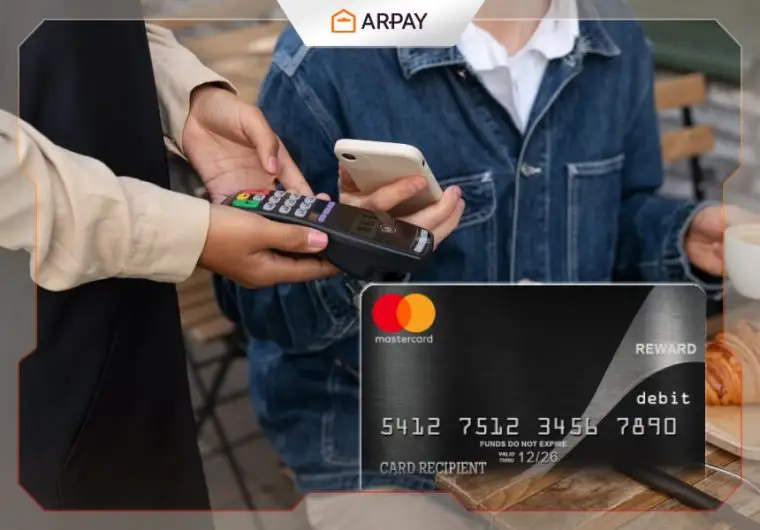
Pay for meals at restaurants and cafes using your card. It works at movie theaters, concerts, and other entertainment spots too. Hand over your card or use contactless payment if available. This method keeps your spending organized and avoids carrying extra cash.
Tracking And Monitoring Your Card
Keeping track of your Mastercard Gift Card helps you manage your funds wisely. Monitoring your card activity prevents overspending and detects any unauthorized use quickly. It also gives peace of mind by showing where and when you use your card.
Accessing Your Card Details
Visit the official Mastercard Gift Card website or app. Enter your card number and security code to log in. You can view your card balance and expiration date here. Keep your login details safe to protect your information.
Setting Up Transaction Alerts
Sign in to your card account to enable alerts. Choose notifications for purchases, low balance, or reloads. Alerts arrive via email or text message. This helps you stay updated on every transaction immediately.
Viewing Your Card’s Spending History
Check your account online to see past transactions. Transactions list date, amount, and merchant name. Review this often to track where your money goes. It helps avoid surprises and manage your budget better.
Credit: ar-pay.com
Card Expiration And Replacement
Mastercard gift cards offer convenience, but they come with expiration dates. Knowing about card expiration and replacement helps you avoid losing your funds. This section explains how to check your card’s validity and what to do if your card is lost or stolen.
Knowing When Your Card Expires
Each Mastercard gift card has an expiration date printed on the card. This date shows the last month and year you can use the card. After this date, the card may no longer work for purchases.
Check the back or front of the card for this date. Keep track of it to use your balance before it expires. Some cards allow you to use the funds even after expiration, but fees may apply.
Replacing Your Card If Lost Or Stolen
Losing your Mastercard gift card can be stressful. Report the loss to the card issuer immediately. Most providers offer a way to replace your card if you have the card number and proof of purchase.
Replacement cards may take several days to arrive. Some issuers charge a fee for replacing lost or stolen cards. Keep your original receipt and card details safe to speed up the process.
Extending The Life Of Your Card
Some Mastercard gift cards allow you to extend the expiration date. Contact the card issuer to ask about this option. Extensions often come with a small fee.
Use your card regularly to avoid inactivity fees. Spend small amounts instead of letting the balance sit unused. This helps keep the card active and your balance safe.

Credit: vividgold.africa
Frequently Asked Questions
How Do I Activate A Mastercard Gift Card?
Most Mastercard Gift Cards activate automatically at purchase. If not, call the number on the back or visit the issuer’s website. Activation is simple and quick, ensuring your card is ready for use immediately.
Where Can I Use A Mastercard Gift Card?
You can use a Mastercard Gift Card anywhere Mastercard is accepted. This includes online stores, physical shops, restaurants, and more. Always check your card balance before use to avoid declined transactions.
How To Check My Mastercard Gift Card Balance?
Check your balance by visiting the card issuer’s website or calling their customer service number. Some cards also allow balance checks via mobile apps. Regularly monitoring your balance helps manage your spending effectively.
Can I Reload A Mastercard Gift Card?
Most Mastercard Gift Cards are not reloadable. They have a fixed amount set at purchase. For reloadable options, consider prepaid cards designed specifically for repeated use and top-ups.
Conclusion
Mastercard gift cards offer a simple way to manage spending. They are easy to use and convenient. You can shop online, in stores, or pay bills. Keep track of your balance often. Always check expiration dates to avoid issues. Remember to register your card for security.
They make great gifts for any occasion. Mastercard gift cards provide flexibility and control. They are accepted almost everywhere. Make sure to read the terms and conditions. Use your card wisely and enjoy the benefits. Happy shopping with your Mastercard gift card!

Similar Posts