How to Use Visa Gift Card at Store: Easy Steps for Quick Payments
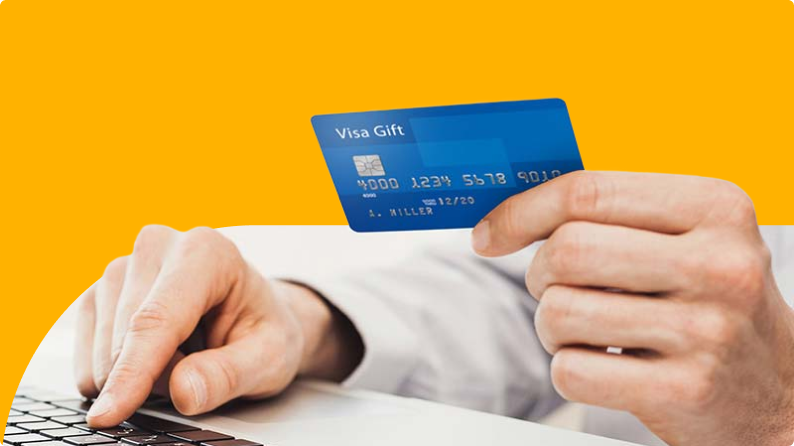
Have you ever wondered how to use your Visa gift card at a store without any hassle? Whether it’s a gift you received or one you bought yourself, knowing exactly how to pay smoothly can save you time and avoid frustration.
You’ll discover simple steps to make your Visa gift card work just like cash at any store. Keep reading, and you’ll feel confident making your next purchase with ease.
Credit: techpoint.africa
Understanding Visa Gift Cards
Understanding Visa Gift Cards is essential before you start using them at your favorite stores. These cards offer a flexible way to make purchases without carrying cash or linking directly to your bank account. Knowing how they work helps you maximize their benefits and avoid common pitfalls.
What Are Visa Gift Cards?
Visa Gift Cards are prepaid cards loaded with a specific amount of money. You can use them anywhere that accepts Visa debit cards, both in physical stores and online. Unlike credit cards, they don’t require a credit check or bank account.
Think of a Visa Gift Card like a digital wallet with a fixed balance. Once you spend the amount on the card, you cannot use it until you add more funds, if the card allows. This makes them perfect for budgeting or gifting without the risk of overspending.
Benefits Of Using Visa Gift Cards
- Convenience:No need to carry cash or worry about lost checks. You can shop easily wherever Visa is accepted.
- Budget Control:You only spend the amount on the card, helping you avoid debt or overspending.
- Gift-Friendly:They make great presents because recipients can choose what they want instead of receiving a specific item.
- Security:If lost or stolen, you can often report the card and get a replacement, unlike cash.
- Wide Acceptance:Use them at grocery stores, gas stations, restaurants, and online shops without restrictions tied to store-specific cards.
Have you ever tried using a Visa Gift Card and found it declined unexpectedly? Understanding these cards helps you avoid such surprises and ensures smooth transactions every time.
Preparation Before Shopping
Preparation before shopping with a Visa gift card is essential. It helps ensure a smooth payment process and avoids surprises at checkout. Taking a few simple steps saves time and makes your shopping experience better.
Activating Your Visa Gift Card
Most Visa gift cards require activation before use. Look for instructions on the card packaging or the included leaflet. Activation usually happens online or by phone. Have the card number and security code ready. Activation confirms the card is ready for purchases.
Checking The Card Balance
Know your card balance before shopping. Visit the official website or call the customer service number on the card. Checking the balance helps you plan your spending. Keep track of your remaining amount to avoid declined transactions.
Using Visa Gift Cards At Physical Stores
Using a Visa Gift Card at physical stores can be straightforward once you know what to look for. It’s a great way to manage your spending without carrying cash or linking to your bank account. Let’s break down how to make the most of your Visa Gift Card during your next shopping trip.
Choosing A Store That Accepts Visa Gift Cards
Not every store accepts Visa Gift Cards, so it’s smart to check before you head out. Most major retail chains and smaller stores that accept Visa credit or debit cards will take your gift card too.
Look for places displaying the Visa logo at the entrance or checkout. If you’re unsure, ask a cashier or call the store ahead of time. This saves you from the hassle of declined payments at the register.
Think about your purchase: Will the store allow split payments if your gift card balance isn’t enough? Some stores let you combine payment methods, but others do not. Knowing this in advance can prevent awkward situations at checkout.
Navigating The Checkout Process
At checkout, treat your Visa Gift Card like a debit card. Swipe or insert it when prompted. If the card has a PIN, enter it; if not, just follow the on-screen instructions.
Keep a close eye on the amount you’re spending. Your gift card has a set limit, so if your purchase is more than the balance, ask the cashier if you can split the payment. Some stores require you to pay the full amount on the card first and then use another method for the remaining balance.
Don’t forget to save your receipt. It helps you track your remaining balance and can be useful if the card gets lost or stolen. You can also check your balance online or by calling the number on the back of the card.
Troubleshooting Common Issues
Using a Visa gift card at a store can sometimes come with hiccups. Knowing how to troubleshoot common issues will save you time and frustration. Let’s look at what to do when your card gets declined or when you need to handle partial payments.
Card Declined: What To Do
If your Visa gift card is declined, don’t panic. First, check the card balance online or by calling the number on the back of the card. Sometimes, the problem is simply an insufficient balance.
Make sure you’ve activated the card before using it. Activation is often required, and skipping this step can cause a decline. Also, confirm that the card is accepted at the store—some places don’t take prepaid cards.
If everything seems fine but the card still won’t work, try asking the cashier to run it as credit instead of debit. Some terminals treat prepaid cards differently, and this small change can make a difference.
Handling Partial Payments
What if your purchase exceeds the balance on your Visa gift card? You can still complete the transaction by paying the difference with another form of payment. Just tell the cashier you want to split the payment.
Here’s a quick tip: always let the cashier swipe or insert your Visa gift card first. This way, the exact remaining balance will be charged to the card, and you can then pay the rest with cash, another card, or mobile payment.
Keep in mind that some stores don’t allow split payments, so it helps to ask beforehand. Have a backup payment ready to avoid delays at checkout.
Tips For A Smooth Transaction
Using a Visa gift card at a store can be straightforward, but a few smart tips can make your transaction smoother. Being prepared helps you avoid common hiccups like declined payments or confusion over remaining balances. Let’s look at some practical ways to keep your experience hassle-free and efficient.
Keeping Track Of Your Spending
Always know how much money you have left on your Visa gift card. Check your balance before heading to the store by visiting the issuer’s website or calling the phone number on the back of the card.
Consider keeping a small notebook or using your phone’s notes app to log each purchase. This habit can prevent surprises at checkout when your card might not cover the full amount.
Have you ever faced a situation where your card was declined because you didn’t realize the balance was low? Tracking your spending closely avoids this frustration and lets you plan your purchases better.
Using The Card For Online Purchases
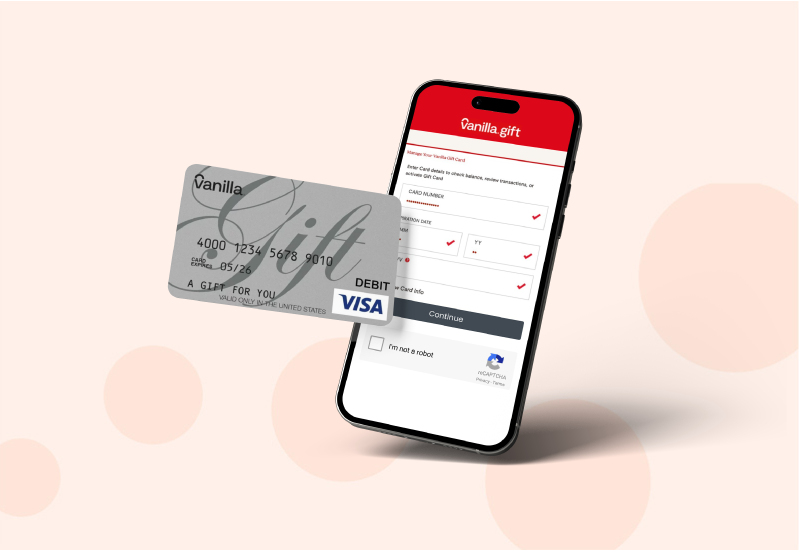
Online shopping with a Visa gift card works similarly to in-store use but requires extra attention. Before you pay, enter your card’s billing address exactly as you registered it, since mismatch can cause payment failure.
Some websites ask for a zip code during checkout. Use the zip code linked to your card’s registration, not your home address if they differ.
When your purchase total is higher than the card balance, split the payment if the site allows it. Otherwise, use the card only for transactions within your balance to avoid declined payments.
Credit: blog.sendcredit.com
Credit: baxity.com
Frequently Asked Questions
How Do I Use A Visa Gift Card In Stores?
To use a Visa gift card in stores, treat it like a debit card. Swipe or insert it at checkout and enter your PIN if required. Make sure the card has enough balance to cover the purchase. You can also use it for split payments if needed.
Can I Use A Visa Gift Card For Online Purchases?
Yes, you can use a Visa gift card for online purchases. Enter the card number, expiration date, and CVV code during checkout. Ensure the billing address matches the one registered with the card. Check your balance before buying to avoid declined transactions.
What If My Purchase Exceeds The Visa Gift Card Balance?
If your purchase exceeds the card balance, use split payment. Pay the remaining amount with cash, debit, or credit card. Inform the cashier before the transaction. Many stores accept partial payments to cover the difference smoothly.
Do I Need To Register My Visa Gift Card Before Use?
Registering your Visa gift card is recommended but not always required. Registration helps protect your balance and enables online purchases. Visit the card issuer’s website to register. Provide your name and address to link the card to you.
Conclusion
Using a Visa gift card in stores is simple and quick. Just treat it like a regular credit or debit card. Check the card balance before shopping to avoid surprises. Remember to sign the receipt when asked. Keep the card until you spend all the money.
Many stores accept Visa gift cards without problems. This card helps you buy what you need easily. Always keep your card safe to avoid losing funds. Now, you can shop with confidence using your Visa gift card.

Similar Posts































