What is the Manifest File: Uncover Its Essential Role
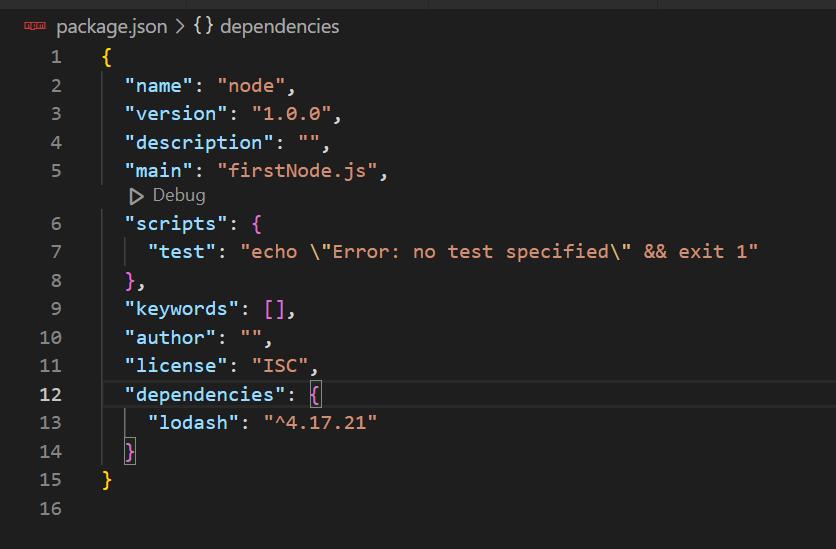
Have you ever wondered what makes an app or website work smoothly behind the scenes? The secret often lies in something called a manifest file.
If you’re curious about how your favorite apps organize important information or how web browsers know what to do with your site, understanding the manifest file is key. This simple yet powerful file holds the instructions that help your digital experiences run just right.
Keep reading, and you’ll discover exactly what a manifest file is, why it matters to you, and how it can impact your projects or browsing experience.

Credit: www.youtube.com
Manifest File Basics
A manifest file is a simple text file that plays an important role in software and web projects. It tells systems how to handle files and resources. This makes the process smoother and more organized. Understanding the basics of manifest files helps in many areas like app development and website management.
Definition And Purpose
A manifest file lists files and metadata used by an application or system. It helps the system know what files are included and how to use them. For example, it can specify the app version, permissions, or required components. This ensures everything works together without errors.
Common Formats
Manifest files come in different formats depending on the platform or use case. Some popular formats include:
- JSON: Easy to read and widely used in web apps.
- XML: Common in Android apps and some desktop applications.
- YAML: Used in configuration files for software deployment.
- Plain Text: Simple lists for basic file inclusion.
Each format has a clear structure for listing files and settings. Choosing the right format depends on the project’s needs and environment.
Key Components
The manifest file plays a crucial role in organizing and managing the components of your project or application. Understanding its key parts helps you control how resources are loaded, tracked, and updated. Let’s break down the essential sections that you’ll find in most manifest files.
Metadata Details
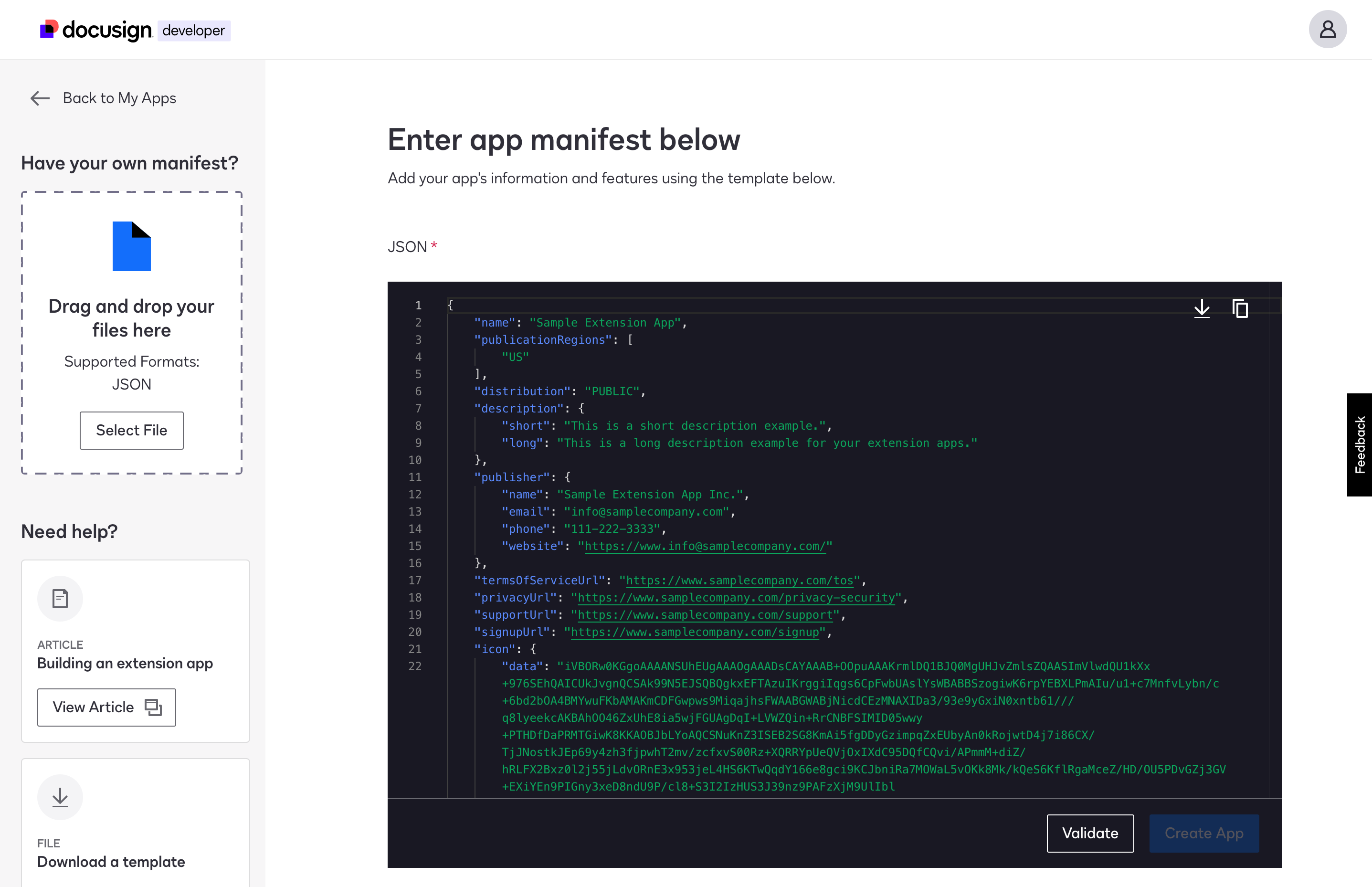
Metadata provides important information about the project or app itself. This includes the name, description, author, and sometimes the intended platform or environment.
Think of metadata as the identity card of your project. It helps tools and users quickly understand what the manifest relates to without digging deeper into the actual files.
- Name:What your app or project is called.
- Description:A brief explanation of what it does.
- Author:Who created or maintains it.
- Icons or logos:Visual identifiers for the app.
Resource Listings
This section lists all the files and assets your app needs to function properly. It could include images, scripts, stylesheets, fonts, or data files.
By explicitly listing resources, you can control what gets loaded and cached, improving performance and reliability. Have you ever wondered how offline apps still work? Resource listings make that possible.
- File paths or URLs to each resource.
- File types and sizes for optimization.
- Optional hashes or checksums to verify integrity.
Version Control
Version control in a manifest helps you track changes and updates over time. It ensures that users get the latest files without conflicts or outdated data.
Including a version number or a unique identifier allows your system to detect when updates are available. This is especially useful in environments where updates must be smooth and seamless.
- Version number:A simple way to indicate updates.
- Build or timestamp:Precise markers for when changes occur.
- Update policies:Instructions on how to handle new versions.
Have you checked your manifest’s version details lately? Ensuring they’re accurate can save headaches when deploying updates or troubleshooting issues.
Manifest File In Software Development
The manifest file plays a key role in software development. It is a special file that holds essential information about an application. Developers use it to describe app metadata, configuration, and other critical data. This file helps the system understand how to handle the app during installation and execution.
Manifest files vary by platform but share common purposes. They guide app packaging, manage dependencies, and influence security settings. Understanding the manifest file helps developers build smoother and safer applications.
Role In Application Packaging
The manifest file acts as a blueprint for packaging software. It lists all files included in the application bundle. It also defines the app’s version, name, and entry point.
Packaging tools read this file to create installable packages. This process ensures the app installs correctly on user devices. The manifest helps avoid missing files or wrong versions.
Dependency Management
Dependencies are other software components an app needs. The manifest file lists these dependencies clearly. It specifies the exact versions required for the app to run.
This prevents conflicts between incompatible libraries. Developers and package managers use the manifest to check and resolve dependencies. It ensures the app works smoothly with all required parts.
Impact On Security
The manifest file influences application security settings. It can declare permissions the app needs, like access to files or network.
Operating systems use this data to control app capabilities. Restricting permissions protects users from harmful actions. The manifest also helps detect tampering or unauthorized changes.
Manifest File In Web Applications
The manifest file plays a crucial role in web applications by defining how your app should behave when installed on a device. It serves as a blueprint that tells the browser about your app’s name, icons, start URL, and display options. This small file can dramatically improve user experience by making your web app feel more like a native app.
Progressive Web Apps
The manifest file is essential for Progressive Web Apps (PWAs). It allows your web app to be added to the home screen of a device, giving users quick access without needing a browser. You can specify the app’s name, theme color, and icon, which creates a more polished and professional appearance.
Have you noticed how some web apps look and feel just like mobile apps? That’s the manifest file at work, helping bridge the gap between the web and native applications.
Cache Control
Managing cache is vital for performance, and the manifest file can guide browsers in storing resources efficiently. It works hand-in-hand with service workers to specify what assets should be cached for faster loading. This means users won’t have to wait for every image or script to download each time they visit your app.
Think about how frustrating it is when a website reloads all its content on every visit. The manifest file helps you avoid that by improving cache control.
Offline Functionality
One of the biggest advantages of the manifest file is enabling offline functionality. By listing resources and settings, it allows your app to run even without an internet connection. This can be a game-changer for users in areas with poor connectivity or when they’re on the go.
Have you ever been stuck without Wi-Fi and still managed to use an app smoothly? The manifest file, combined with caching strategies, makes that possible by preparing your app for offline use.
Creating And Editing Manifest Files
Creating and editing manifest files is an essential task for developers. These files hold important information about an app or web project. They help define settings, permissions, and other key details. Understanding how to work with manifest files improves project setup and functionality.
Editing manifest files requires precision and the right tools. The format must stay intact to avoid errors. Clear and organized files make maintenance easier and reduce bugs. Developers should follow best practices to create efficient manifest files.
Tools And Editors
Many tools can help create and edit manifest files easily. Text editors like Notepad++ or Sublime Text highlight syntax and reduce mistakes. Integrated development environments (IDEs) such as Visual Studio Code offer advanced features for editing manifest files.
- Simple text editors for quick changes
- IDE support for syntax checking
- Extensions or plugins for manifest validation
- Online editors for instant manifest creation
Best Practices
Keep manifest files clean and well-structured. Use proper indentation to improve readability. Always validate the file to catch syntax errors early. Comment sections clearly to explain settings and choices.
- Use consistent formatting throughout the file
- Validate files with tools or IDEs before deployment
- Include only necessary permissions and settings
- Update manifest files as project requirements change

Credit: www.youtube.com
Common Issues And Troubleshooting
Manifest files can sometimes cause issues that stop apps from working properly. These problems often come from small mistakes or compatibility conflicts. Finding and fixing these errors helps keep your app running smoothly. Troubleshooting is easier with the right knowledge and tools.
Validation Errors
Validation errors happen when the manifest file contains wrong or missing information. Common issues include:
- Incorrect XML syntax, such as missing tags or attributes
- Invalid values in key fields like package name or version code
- Duplicate entries or conflicting permissions
These errors prevent the app from building or installing. Use XML validators and build tools to spot and fix them quickly.
Compatibility Problems
Compatibility problems arise when the manifest file does not match the device or OS requirements. Some common causes:
- Specifying a minimum SDK version higher than the device supports
- Using features or permissions not available on older devices
- Conflicting intent filters that confuse the system
Testing on different devices and checking official guidelines can help avoid these problems.
Debugging Tips
Effective debugging saves time and effort. Try these tips:
- Check logcat output for detailed error messages
- Validate manifest with online tools before building
- Use incremental changes to isolate the cause
- Consult official documentation for permission and feature requirements
These steps help identify issues clearly and improve app stability.
Future Trends
The future of manifest files is shaping up to be more dynamic and versatile. As web technologies evolve, manifest files are expected to adapt, offering better support and new functionalities. Understanding these trends can help you stay ahead and make the most of this essential web component.
Evolving Standards
Manifest files are no longer just static lists of resources. New standards are pushing for more interactive and intelligent manifests. This means files will likely support more metadata about app behavior, permissions, and user preferences.
Imagine a manifest file that not only tells your browser what to cache but also adjusts based on network conditions or device capabilities. Wouldn’t that improve user experience dramatically? You might soon see manifest files evolving to include such smart features.
Integration With New Technologies
Manifest files are starting to work closely with cutting-edge technologies like Progressive Web Apps (PWAs), service workers, and even AI-based personalization tools. This integration helps deliver seamless offline experiences and personalized content.
Think about a manifest file that collaborates with AI to preload resources tailored to your habits. It could speed up your favorite apps without wasting bandwidth. Are you ready to leverage such powerful combinations in your projects?
Credit: developers.docusign.com
Frequently Asked Questions
What Is A Manifest File Used For?
A manifest file lists essential metadata about files in a project. It helps systems understand file structure and dependencies efficiently.
How Does A Manifest File Improve App Performance?
Manifest files enable faster loading by predefining resources. They optimize caching and help browsers manage updates smoothly.
Where Is The Manifest File Located In A Project?
Manifest files are usually in the root or config folder. Their placement depends on the framework or platform used.
Can Manifest Files Control Web App Behavior?
Yes, manifest files define web app icons, theme colors, and offline capabilities. They enhance user experience and app integration.
Conclusion
A manifest file helps organize important data clearly. It tells software what files to use and how. This file makes programs run smoothly and without errors. Knowing what a manifest file does saves time. It also helps fix problems faster.
Simple to create, it plays a big role in apps and websites. Understanding this file improves your tech skills. Keep exploring to learn how it works in different systems.

Similar Posts