Can You Use an Uber Gift Card for Uber Eats? Discover Now!
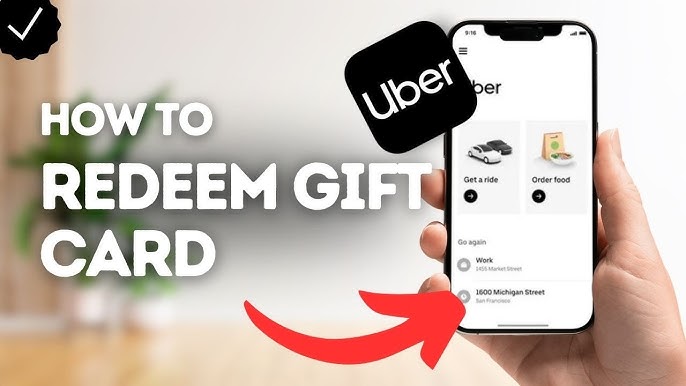
Are you wondering if you can use your Uber gift card to order food on Uber Eats? You’re not alone.
Many people have gift cards and want to make the most of them without any hassle. Imagine being able to enjoy your favorite meals without worrying about payment issues. You’ll discover exactly how Uber gift cards work with Uber Eats and what you need to know before placing your order.
Keep reading to make sure you use your gift card the right way and get the most out of it!

Credit: www.tiktok.com
Uber Gift Card Basics
Understanding the basics of Uber gift cards helps in using them effectively for Uber Eats or rides. These cards provide a simple way to pay without using cash or cards directly. They come with a specific amount and can be redeemed in the Uber app.
Knowing what an Uber gift card is and where to buy one is essential for a smooth experience.
What Is An Uber Gift Card
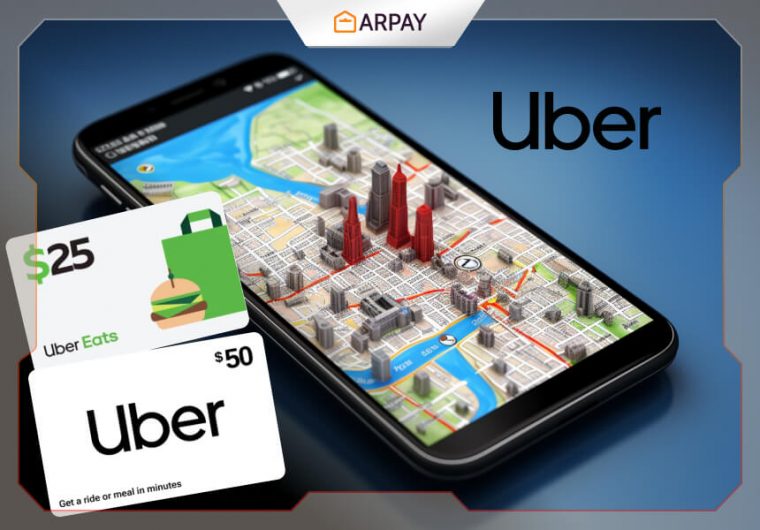
An Uber gift card is a prepaid card with a set balance. It works like cash inside the Uber app. You can use it for rides or Uber Eats orders. The card balance reduces with each use until it reaches zero. No need to carry physical cash or link a bank account.
Where To Buy Uber Gift Cards
Uber gift cards are available in many stores and online. Common places include:
- Official Uber website
- Amazon
- Major retail stores like Walmart and Target
- Pharmacies and convenience stores
They come in physical form or digital codes sent by email. Digital cards are easy to send as gifts or use instantly.
Using Uber Gift Cards On Uber Eats
Uber gift cards work for both Uber rides and Uber Eats orders. Using these gift cards on Uber Eats is simple. You just need to link the card to your account. Once linked, the card balance pays for your food delivery. This makes ordering meals easy and cash-free.
Linking Gift Cards To Your Account
Start by opening the Uber app or website. Go to the payment section. Select “Add Payment Method” or “Add Gift Card.” Enter the gift card code carefully. Confirm the code to add the balance. The balance will appear in your Uber account. It applies to both rides and Eats orders.
Keep the gift card code safe. You can use it anytime for payments. The balance stays until fully spent or expired.
Paying For Uber Eats Orders
When placing an Uber Eats order, choose your payment method. Select the gift card balance as your payment option. The order total will deduct from the gift card balance. If the balance is low, add another payment method to cover the rest.
Enjoy your meal without cash. The gift card makes checkout fast. Track your remaining balance in the app after each order.
Restrictions And Limitations
Understanding the restrictions and limitations of using an Uber gift card for Uber Eats can save you from unexpected surprises. While gift cards add convenience, they don’t always work exactly like cash or standard payment methods. Knowing where and how you can use your gift card helps you plan your orders better and avoid payment issues at checkout.
Geographic Availability
Uber gift cards are not accepted everywhere Uber Eats operates. Your gift card must be purchased and redeemed in the same country where you intend to use it. For example, if you have a US-issued Uber gift card, you won’t be able to use it for Uber Eats orders in Canada or Europe.
This limitation often confuses users who travel frequently or have friends sending them gift cards from abroad. Before you try to place your order, check if your gift card is valid in your current location. It’s a simple step that prevents frustration at checkout.
Payment Method Priorities
When you use an Uber gift card, it acts like a prepaid balance on your account. However, Uber Eats prioritizes payment methods in a specific order. If you have other payment options saved, like a credit card or PayPal, Uber might charge those first before dipping into your gift card balance.
This means your gift card balance won’t always be used automatically. You need to manually select it as your payment method during checkout to make sure you’re using your gift card funds. If the gift card balance is not enough to cover the full order, Uber will charge the remaining amount from your default payment method.
Have you ever thought about how this impacts budgeting your food orders? Managing payment methods carefully can help you stretch your gift card value further and avoid surprises on your bank statement.

Credit: www.amazon.ca
Tips For Maximizing Gift Card Use
Using an Uber gift card for Uber Eats can save you money if you know how to get the most out of it. Smart use of your gift card balance lets you enjoy more meals or treats without overspending. Here are some practical tips to help you stretch every dollar on your card.
Combining With Promotions
Have you ever noticed those special promo codes or discounts on Uber Eats? You can use your Uber gift card balance alongside many of these deals. This means you pay less out of pocket while using the gift card for the rest.
Keep an eye on seasonal offers and limited-time discounts. For example, pairing a “10% off your order” promo with your gift card can reduce your total cost significantly.
Check the terms of each promotion carefully. Some deals might exclude gift card payments, but many allow you to stack discounts and gift card funds for maximum savings.
Managing Balances
It’s easy to lose track of how much money you have left on your Uber gift card. Regularly check your balance to avoid surprises at checkout.
Uber’s app shows your remaining gift card funds clearly. You can also link multiple gift cards to one account and manage them in one place.
If your gift card balance is low, combine it with another payment method to cover your order. This way, you never have to waste leftover amounts that are too small for a full order.
Troubleshooting Payment Issues
Running into payment issues while trying to use your Uber gift card on Uber Eats can be frustrating. These hiccups often arise from simple mistakes or system glitches that you can fix quickly. Understanding common problems and knowing when to reach out for help will get your order back on track without stress.
Common Problems And Fixes
One frequent issue is the gift card not being recognized at checkout. This often happens if the card hasn’t been properly added to your Uber account. Double-check that you entered the card number and PIN correctly.
Another problem is insufficient balance on the gift card to cover the order. Uber Eats doesn’t allow partial payments with gift cards, so you’ll need to add another payment method to cover the remaining cost.
- Make sure your gift card is activated and not expired.
- Verify that your Uber app is updated to the latest version.
- Try removing and re-adding the gift card in your payment methods.
- Clear your app cache or reinstall the app to fix any temporary glitches.
If you’ve checked these and still face problems, consider whether the gift card is region-locked. Some Uber gift cards only work in certain countries or regions, which can cause issues if you’re ordering from somewhere else.
Contacting Uber Support
When troubleshooting steps don’t resolve your payment issues, contacting Uber Support is your next best move. You can reach out through the app by navigating to the Help section under Payments.
Explain your issue clearly, including details like the gift card number, error messages, and what troubleshooting you’ve already tried. This helps the support team diagnose and fix the problem faster.
Keep in mind, response times vary, so if your order is urgent, consider using an alternative payment method while waiting for support to reply. Have you ever had a support interaction that turned a frustrating experience into a smooth one? That kind of help can make all the difference.
Credit: ar-pay.com
Frequently Asked Questions
Can Uber Gift Cards Be Used On Uber Eats?
Yes, Uber gift cards can be used to pay for Uber Eats orders. You just need to add the gift card balance to your Uber account. Once added, it will automatically apply to your Uber Eats purchases.
How To Redeem An Uber Gift Card For Uber Eats?
To redeem, open the Uber app and go to the Payment section. Select “Add Payment Method,” then enter your gift card code. Your balance will update, allowing you to use it for Uber Eats orders immediately.
Can Uber Gift Cards Cover Delivery Fees On Uber Eats?
Yes, Uber gift cards cover the full cost of your Uber Eats order, including delivery fees. The gift card balance applies to both food and delivery charges seamlessly.
Are There Restrictions On Using Uber Gift Cards For Uber Eats?
Uber gift cards can be used for rides and Eats orders in supported regions. However, some promotions or third-party services may not accept gift card payments.
Conclusion
Uber gift cards work for both rides and Uber Eats orders. You just need to add the card to your Uber account. Then, the balance will show when you pay for food delivery. This makes using Uber Eats easier and more flexible.
Remember to check the card balance before ordering. Uber gift cards offer a simple way to enjoy Uber services. Try it next time you want food delivered or a ride. It saves time and keeps payments smooth. Simple and useful.

Similar Posts































